
Customer Communications
Customer messaging that follows your playbook, not a template.
SMS, email, phone, and push: branded templates, automated triggers, and two-way replies, all wired to your exact process, not the one your last tool forced on you. An AI agent can answer the thread on its own when you want it to. Reshape the cadence yourself in plain English and it is live. Every thread logged to the customer record.
Plain English
Describe the change. It goes live.
Template updated
Tech photo + ETA link added to confirmations
Pushed to all jobs
Applies to every booking going forward
History preserved
Sent messages stay exactly as they went out
Live in
Built your way
The whole messaging stack, no Zapier chains.
Triggers, templates, two-way threads, an AI agent that can answer them, and the phone line, all natively tied to every job, customer, and invoice.
Two-way SMS
Branded email
An AI agent on the thread
AI phone agent
Trigger library
Opt-outs handled for you
Segments
Translation in the thread
Payment nudges
You know when they opened it
Review requests
Push to your crew
See it built around how your team already works.
Get DemoAutomatic
Reminders and on-my-way
Your number
And your domain
On the job
Every reply threaded
Shaped to your trade
Your business doesn't run like the template. Neither does Fieldproxy.
HVAC
Pest Control
Facilities
Want it running on your jobs? We set it up around them.
Get DemoIntegrations
Plays nicely with the tools you already use
Twilio SMS / Voice
US + international SMS, and the phone line the AI agent answers.
Connected mailbox
Your own inbox, ingested and threaded onto the customer record.
Gmail / Outlook
Sent from your domain, replies tracked.
Google Reviews
One-tap review links.
HubSpot / Salesforce
Contact and activity sync for sales teams.
Slack / Teams
Escalated replies land in the right channel.
AI agents
The AI agents on the thread and the line
Four channels, one brain. The agent that answers the phone is the same one that answers the SMS thread, with the same permissions and the same audit trail.
Text Agent
Answers inbound SMS and email against the real job, so “what time are you coming?” is handled before anyone reads it.
Calling Agent
Answers the line in your brand voice, works out how urgent it is, books it, and writes the job up. After hours, that's the difference between a booking and a voicemail.
Calling Agent
Handles the outbound side: confirmations, reminders, on-my-way, the review ask, the follow-up. Placed on your cadence, logged to the customer.
Watcher Agent
Reads the replies you'd want to see first (the angry one, the one that never got answered, the thread that's been open three days) and escalates before it's a review.
See it built around how your team already works.
Get DemoWorked example
How customer texts and emails work on one service visit
A customer books a visit, waits for the technician and pays at the end. Here is every message involved, which ones send themselves and where the replies go.
- 1
Booking confirmation
When the job is booked, the customer gets a confirmation by text and email from your number and your domain, with the date and the arrival window.
- 2
Reminder
The day before, a reminder goes out. If the customer replies to reschedule, the reply threads onto the job, and an AI agent can offer new times or hand it to the office.
- 3
On the way
When the technician taps On my way, the customer gets a text with the technician's photo and a tracking link showing the visit window and status.
- 4
After the job
On completion the customer gets the job summary and invoice. If it is not paid, a reminder ladder runs until it is, and stops the moment payment lands.
- 5
Review request
A review request goes out after completion, timed by you, never for jobs you exclude.
Every message and every reply is on the job record, so whoever picks up the phone sees the whole conversation.
Names and figures in this example are demo data.
Screens from our demo account
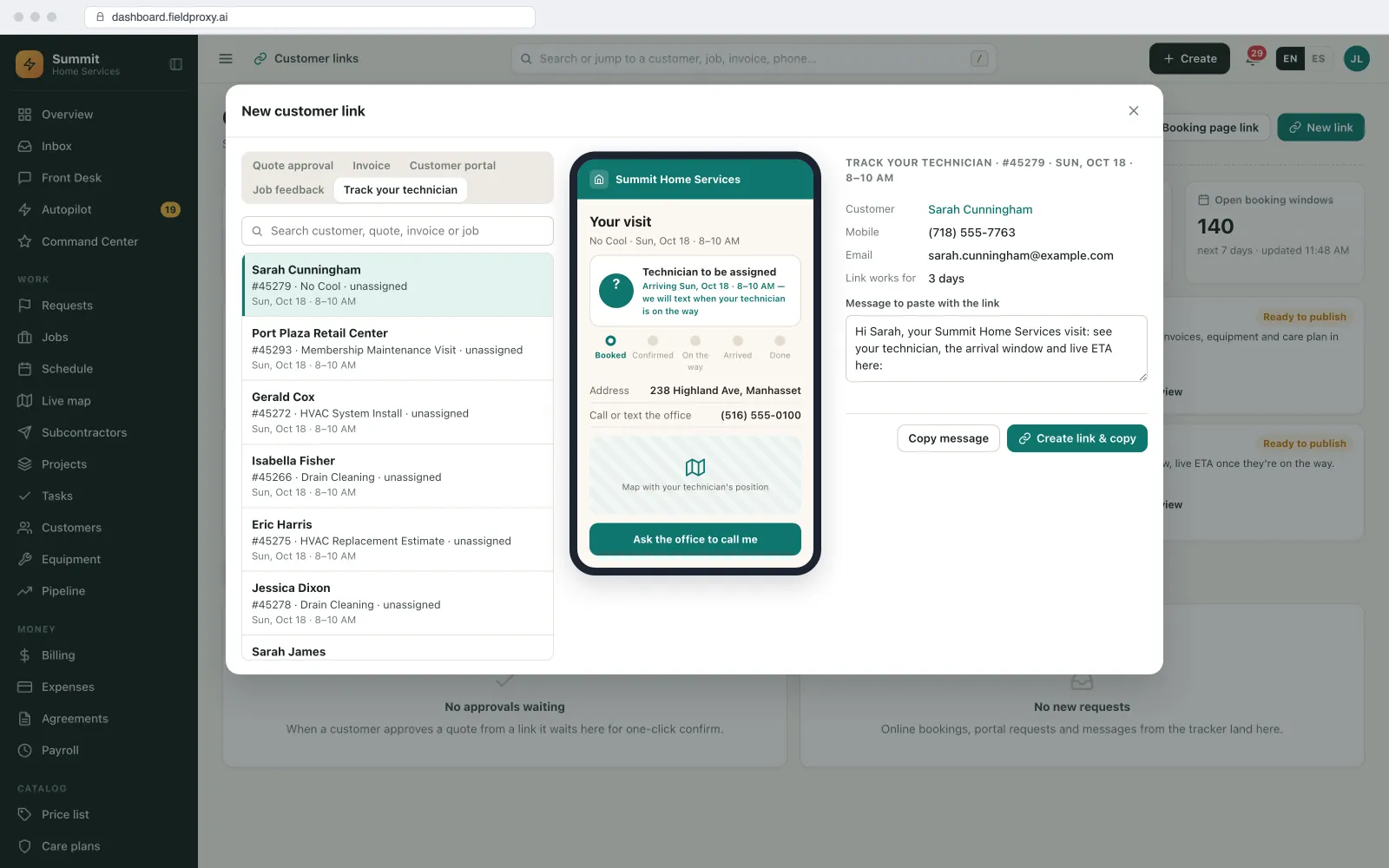
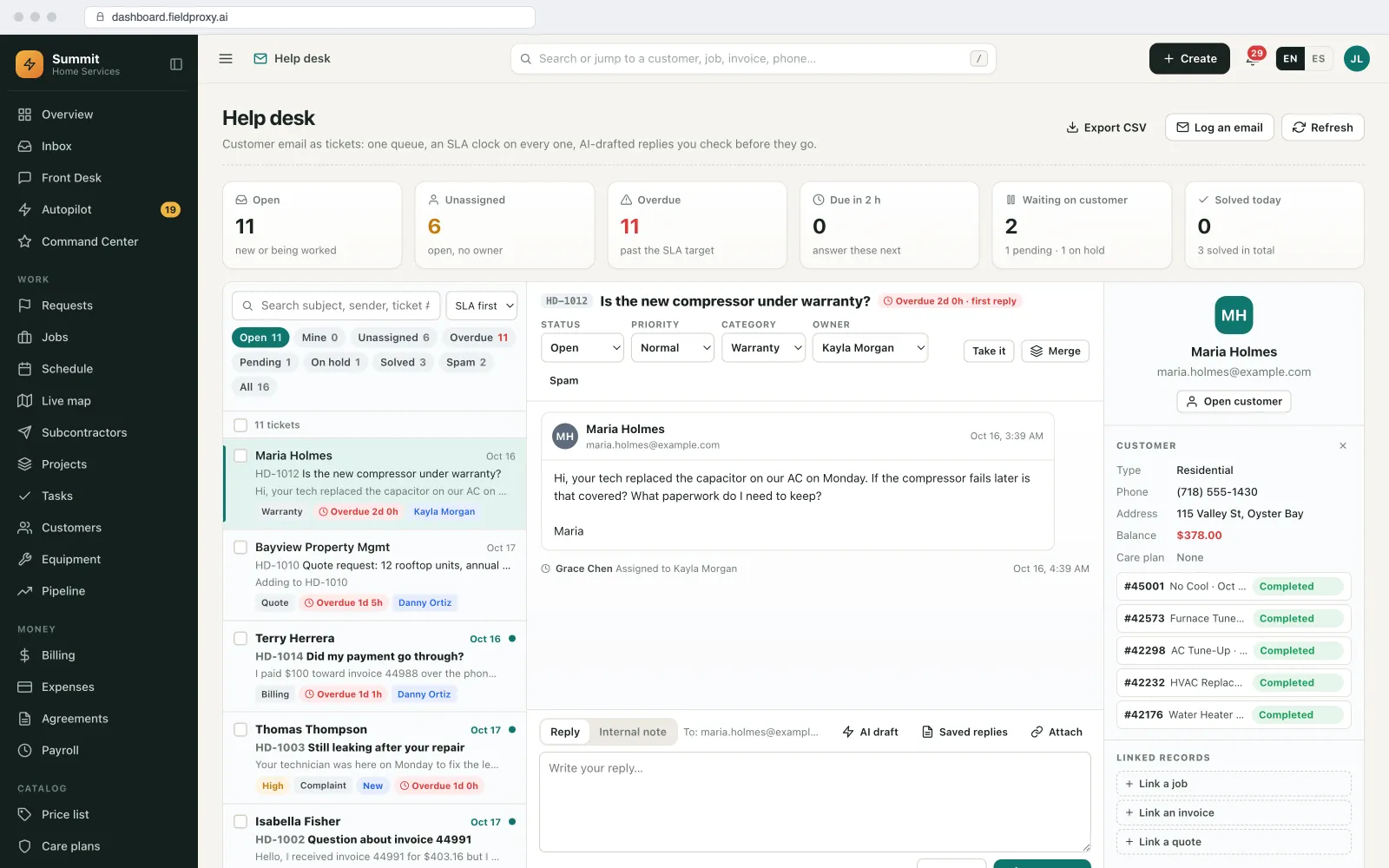
What you can change, and how
Which messages send
Confirmations, reminders, on my way, no-show, review requests and payment reminders. Turn each on or off, by job type or customer tier.
Wording
Edit any template or write your own. Messages can go out in the customer's language.
Timing and quiet hours
Set when reminders go out. Messages outside a customer's quiet hours wait until morning.
Approval
Hold messages to some customers, such as key accounts, for sign-off before they send.
Who handles replies
Send replies to the office, to an AI agent that answers and books within your rules, or to the assigned account manager.
How it connects to the rest of Fieldproxy
On-the-way and arrival messages follow schedule changes.
Payment links and reminders come from the invoice.
Calls and texts can be answered and booked by an AI agent.
Your phone number and mailbox
Messages send from your own number and domain; opt-outs (STOP, UNSUBSCRIBE) are enforced everywhere.
When this is not the right fit
- If you send a handful of messages a week, automatic messaging may not be worth setting up yet.
- Text messaging needs a business number registered for sending. We help with this during setup, but carrier approval can take time.
- Automatic messages are only as accurate as the schedule. If technicians do not tap On my way, customers will not get the alert.
Questions
Straight answers.
What is customer notification software for field service?
It sends booking confirmations, reminders, on-the-way alerts, invoices and review requests to customers automatically, and keeps replies on the job. Fieldproxy does this from the same system as your schedule and invoices.
Do messages come from our own number?
Yes. Texts send from your business number and emails from your domain, and replies land back on the job.
Can AI answer customer replies?
Yes. An AI agent can answer inbound texts and emails, book and reschedule within your rules, and hand to a person when it should.
How are opt-outs handled?
STOP and UNSUBSCRIBE are enforced for every message, and messages outside quiet hours wait until morning.
Can customers track the technician?
Yes. The on-the-way text includes a tracking link with the visit window and status.
Stop chasing customers. Build the cadence your way.
See a live multi-channel cadence on your real customer list.
Also works from ChatGPT, Claude and Copilot in Teams
Fieldproxy's MCP server lets your team run the day and change the software itself from the AI assistant they already use, with a confirm step before anything changes.