
HVAC
HVAC field service management software built around how you already work.
No-cool and no-heat calls, maintenance agreements, system replacements, commercial rooftop contracts and refrigerant logs, set up the way your techs actually run them. Change a field, a rule or a dispatch queue by asking in plain English, and Fieldproxy AI agents assist your team. Live in days, with unlimited users.
 Operations · HVACLive board
Board · HVAC · Today
All regionsDispatch Agent matched Luis M. · EPA certifiedHV-4137
Chiller PPM, Q3
HV-4174
Filter change, 12 units
HV-4211
Heat pump install quote
HV-4248
Walk-in cooler alarm
HV-4285
Boiler service, Tower B
HV-90412
Riverside Plaza
RTU-3 no-cool over the data room
Tech app · Luis M.
Waiting for dispatch
Watcher Agent
Watching this jobWaiting for superheat from the tech
HV-90412
NewRTU-3 no-cool over the data room
Client
Northwind Property Group
Site
Riverside Plaza
Contract
PPM contract · P2 · 4h SLA
Assigned
Unassigned
RTU-3 cooling again inside the 4-hour SLA.
Readings, refrigerant log and photos are on the client report already.
Plain English
Say how you run it. It goes live.
Each change on the right was made by typing one sentence. No dev ticket, no rebuild, live for every tech.
Reading fields added
Superheat and subcooling now on every AC service job
Refrigerant type required
Job can't close until the type is logged
Pushed to every tech
Live on open and future service jobs
Live in
Built your way
Built for HVAC operations
Service calls, maintenance agreements, installs and commercial contracts, all in one platform.
Maintenance agreements
Equipment on every site
Refrigerant logs
Certification-aware dispatch
Good, better, best replacement quotes
Warranty tracking
Callback detection
After-hours on-call rota
Commercial contract billing
Offline technician app
Reports you can change
The 11pm no-cool call gets answered
See it built around how your team already works.
Get DemoHow HVAC runs on it
How a HVAC business runs on Fieldproxy.
The parts of Fieldproxy HVAC teams lean on most, set up to your own stages, forms and prices.
Care plans and memberships
Good, Better, Best on site
Nameplate photo to equipment
Installs as projects
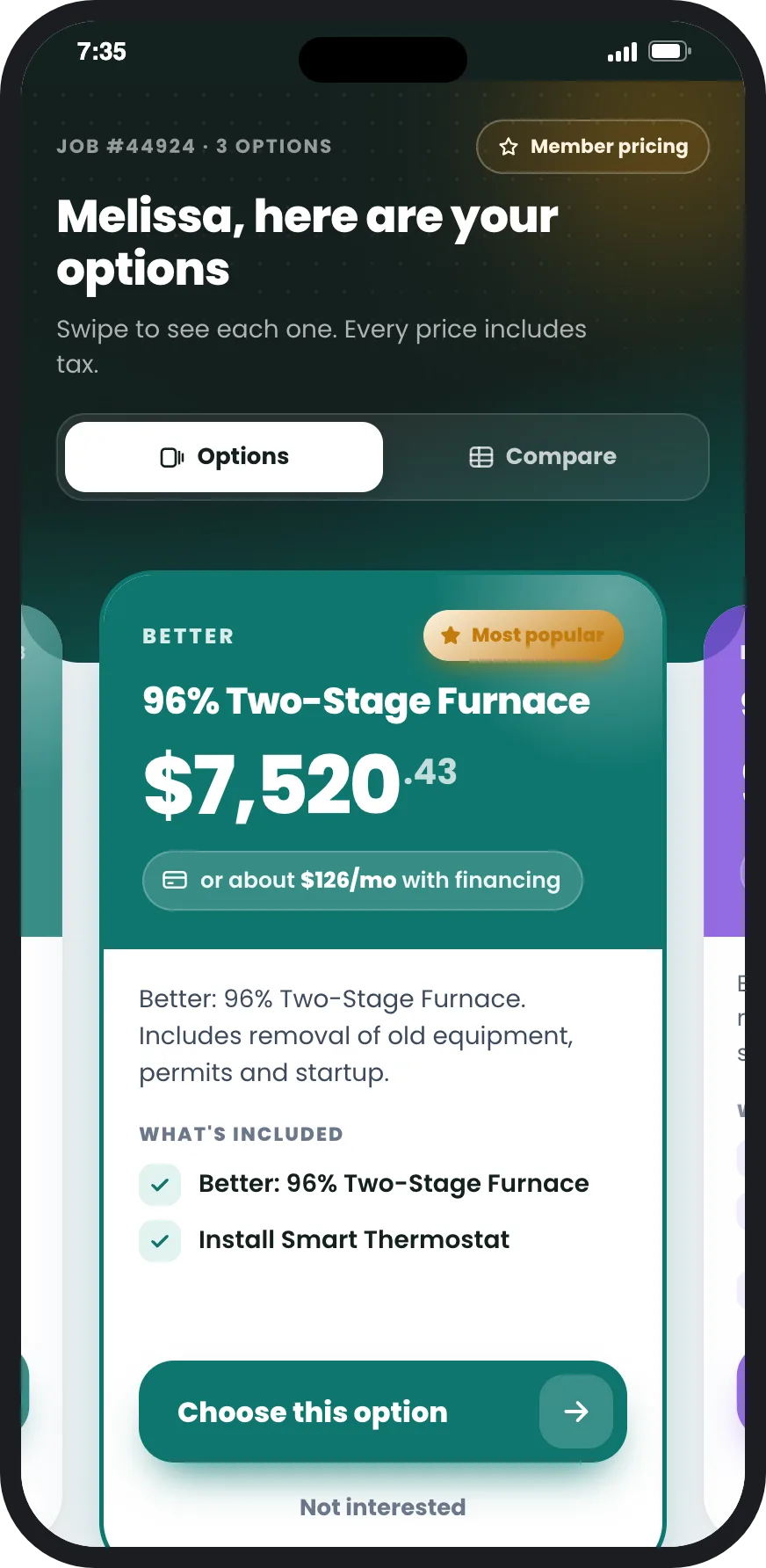
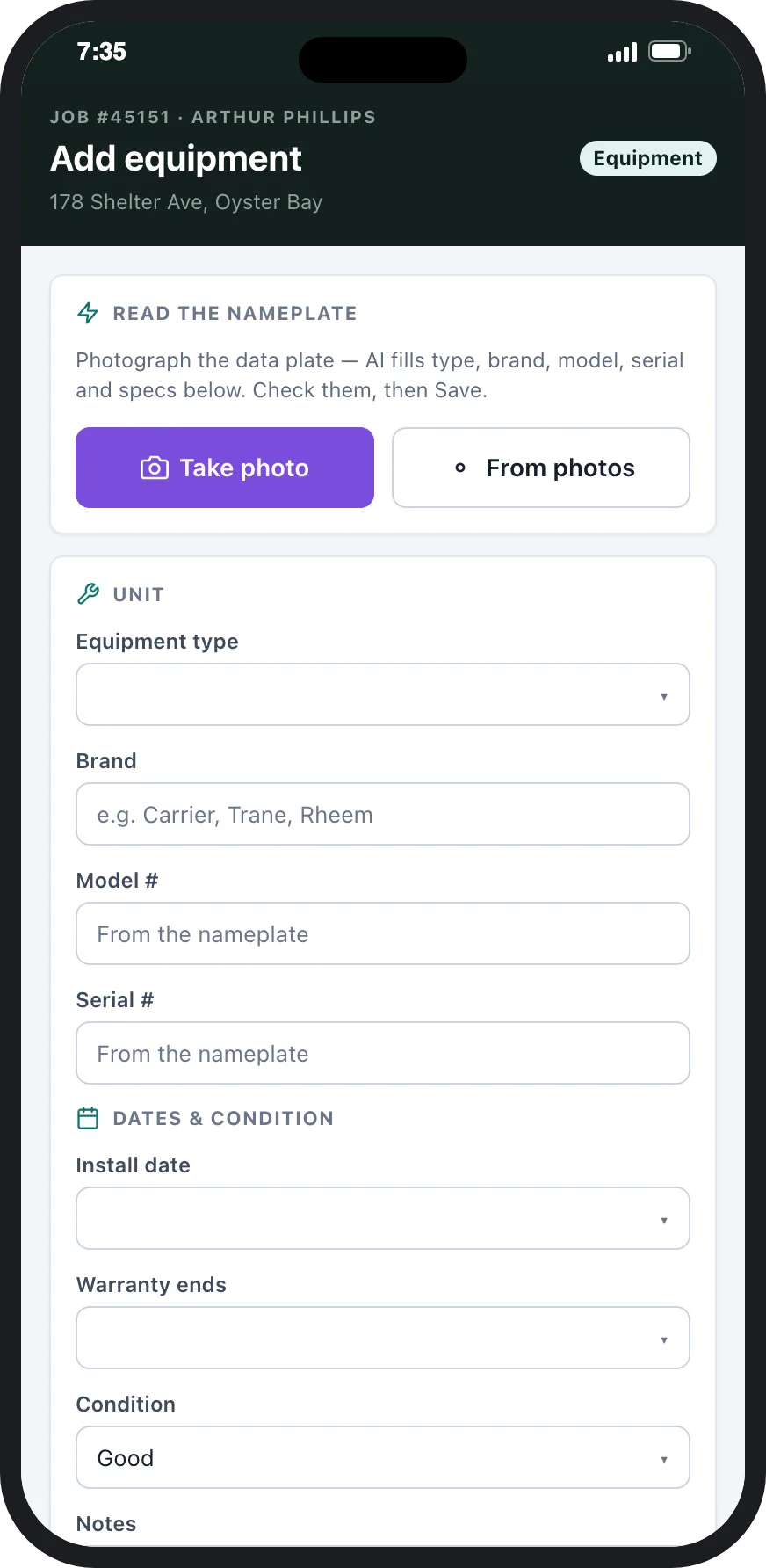
AI for HVAC businesses
AI that does the HVAC admin, so the office doesn't have to.
Fieldproxy is AI-native field service software. The AI agents work inside your HVAC workflow, on your jobs and customers, and you confirm anything that matters before it happens.
Answers the no-cool call and books it
Reshuffles the board in a heat wave
Tells customers when the tech is coming
Chases refrigerant logs, drafts invoices
Switching
Moving from another tool? We move you.
HVAC teams come to us from ServiceTitan, Housecall Pro, Jobber or FieldEdge and from spreadsheets. We map how you run on a 30-minute call, configure it within 48 hours, migrate your customers, properties and jobs, and switch you over when your crews are ready. Fieldproxy AI moves it all over from any major tool or custom system in less than a day.
Shaped to your trade
Your business doesn't run like the template. Neither does Fieldproxy.
Commercial HVAC
Residential HVAC
Refrigeration
Platform
A complete HVAC platform
Dispatch, maintenance agreements, equipment, quotes and the technician app, ready day one.
Dispatching & Scheduling
Maintenance Agreements & Memberships
Asset Management
Estimates & Quotes
Mobile App
Customer Portals
Integrations
Plays nicely with the tools you already use
QuickBooks
Invoice + payment sync
Stripe
Card + ACH payments
Google Calendar
2-way tech calendars
Gmail
Customer email + threads
AI phone agent
Answers the no-cool call at 11pm
Zapier
Anything else
Want it running on your jobs? We set it up around them.
Get DemoSwitching from another platform to run HVAC?
See how Fieldproxy stacks up against the platforms HVAC teams evaluate.
vs ServiceTitan
The enterprise residential service platform
Housecall Pro alternative
The home-service SaaS for solo operators and small teams
Compare with Workiz
Field service software for on-demand trades
Switch from FieldEdge
Field service management for service contractors
vs Service Fusion
All-in-one field service management software
ServiceM8 alternative
Mobile-first job management for trade businesses
HVAC resources from the Fieldproxy blog
Field-tested playbooks, benchmarks, and how-tos.
How AI Agents Enhance Parts Inventory Management for HVAC Service Companies
Discover how AI agents improve parts inventory management for HVAC service companies, enhancing efficiency and reducing costs.
AI Agents for HVAC Work Order Management: Enhancing Technician Productivity
Explore how AI agents revolutionize work order management in the HVAC industry, significantly boosting technician productivity through streamlined processes and intelligent automation.
AI Agents for HVAC: Invoice Automation Enhancing Cash Flow Management
Explore how AI agents are revolutionizing invoice automation in HVAC, optimizing cash flow management for companies.
AI agents
What the AI agents do on an HVAC job
Seasonal peaks, certification rules and equipment that has to be identified before it can be quoted. The agents are pointed at exactly that.
Calling Agent
Answers the no-cool call at 11pm in July, works out whether it's an emergency, books it into the on-call slot and writes up the job.
Dispatch Agent
Won't route a refrigerant job to a tech without the right EPA card, and weighs whose van already carries the parts.
Scheduler Agent
Stacks spring AC and fall furnace tune-ups against real capacity, so agreement customers get served without crowding out the emergency calls.
Questions
Straight answers.
What is HVAC service management software?
HVAC service management software runs the whole service side of an HVAC business in one place: taking the call, scheduling and dispatching the right technician, the job on the technician's phone, equipment and refrigerant records, maintenance agreements, quotes and invoicing. Fieldproxy is HVAC service management software set up to your own job types and checklists, with AI agents that answer calls, rebuild the schedule around emergencies and draft invoices from completed work.
What is HVAC field service management software?
HVAC field service management software is the system an HVAC company runs its field work on: calls and online requests, scheduling and dispatch, the technician's mobile app, equipment and refrigerant records, maintenance agreements, quotes, invoices and payments. Fieldproxy is AI-native HVAC field service management software, set up to your own job types, forms and checklists, with unlimited users.
Does Fieldproxy work for commercial HVAC as well as residential?
Yes. Commercial rooftop units, chillers and building equipment are tracked per site on contract with their own billing, beside residential agreements, repairs and replacements. Each job type gets its own stages, forms and checklists.
Does the HVAC software include a mobile app for technicians?
Yes. Technicians get an Android and iOS app with their jobs, the unit's history, checklists, readings, photos and customer signatures. It works offline and syncs when signal returns.
What is the best software for an HVAC business?
The best HVAC software is the one that fits how your business actually runs: emergency no-cool and no-heat calls, maintenance agreements, system replacements, commercial contracts and refrigerant records. Template tools work well if your process matches theirs. Fieldproxy is HVAC software set up to your own job types, forms and checklists, with AI agents that answer calls, schedule, keep customers updated and draft invoices, one price per company with unlimited users.
What is the best HVAC software for a small business?
For a small HVAC team, look for quick setup, maintenance agreements, an offline technician app and pricing that does not rise with every hire. Simple template tools suit a crew whose work matches the template. Fieldproxy suits small teams that run agreements, commercial work or their own process, with one price per company and unlimited users.
How much does HVAC software cost?
Many HVAC tools charge per technician or per user, so the bill rises with every hire. Fieldproxy is one price per company with unlimited users, so adding technicians, dispatchers and office staff does not add cost. AI credits are charged separately.
Can HVAC software manage maintenance agreements?
Yes. In Fieldproxy each agreement holds its covered equipment, the visits per year (for example a spring AC check and a fall furnace check) and its billing schedule. Visits are scheduled and reminded automatically, billing runs monthly or annually, and agreements coming up for renewal are flagged so they do not lapse.
Does it track refrigerant use and technician certifications?
Yes. Technicians log the refrigerant type and pounds added or recovered on each job, against the unit and the truck, and the job cannot close without it. Each technician's EPA certification is held on their profile, so refrigerant work is only dispatched to certified techs, and the log can be exported for your records.
How long does it take to switch from ServiceTitan or Housecall Pro?
We map how you run on a 30-minute call, configure Fieldproxy to it within 48 hours, then migrate your customers, sites, equipment, agreements and open jobs. Fieldproxy AI moves it all over from any major tool or custom system in less than a day, and you switch over when your technicians are ready.
Is there AI for HVAC businesses?
Fieldproxy's AI agents answer calls, texts and emails, book service calls, build and rebuild the schedule around emergencies, dispatch by certification and location, chase missing refrigerant logs and photos, and draft invoices from completed jobs. They work inside your own HVAC workflow, and you confirm anything that matters before it happens.
See it live
Enter your work email and we draft your setup from your website in about 30 seconds. Shape it by chatting, then the team builds it around how you work.
Also works from ChatGPT, Claude and Copilot in Teams
Fieldproxy's MCP server lets your team run the day and change the software itself from the AI assistant they already use, with a confirm step before anything changes.