
Work Orders
Work order management software with your fields, your stages, your rules.
Create, assign, track, and close every job, configured to your exact process, not the one your last tool forced on you. Priority-aware, SLA-safe, tied to real customer history, and reshaped in plain English the moment your process changes.
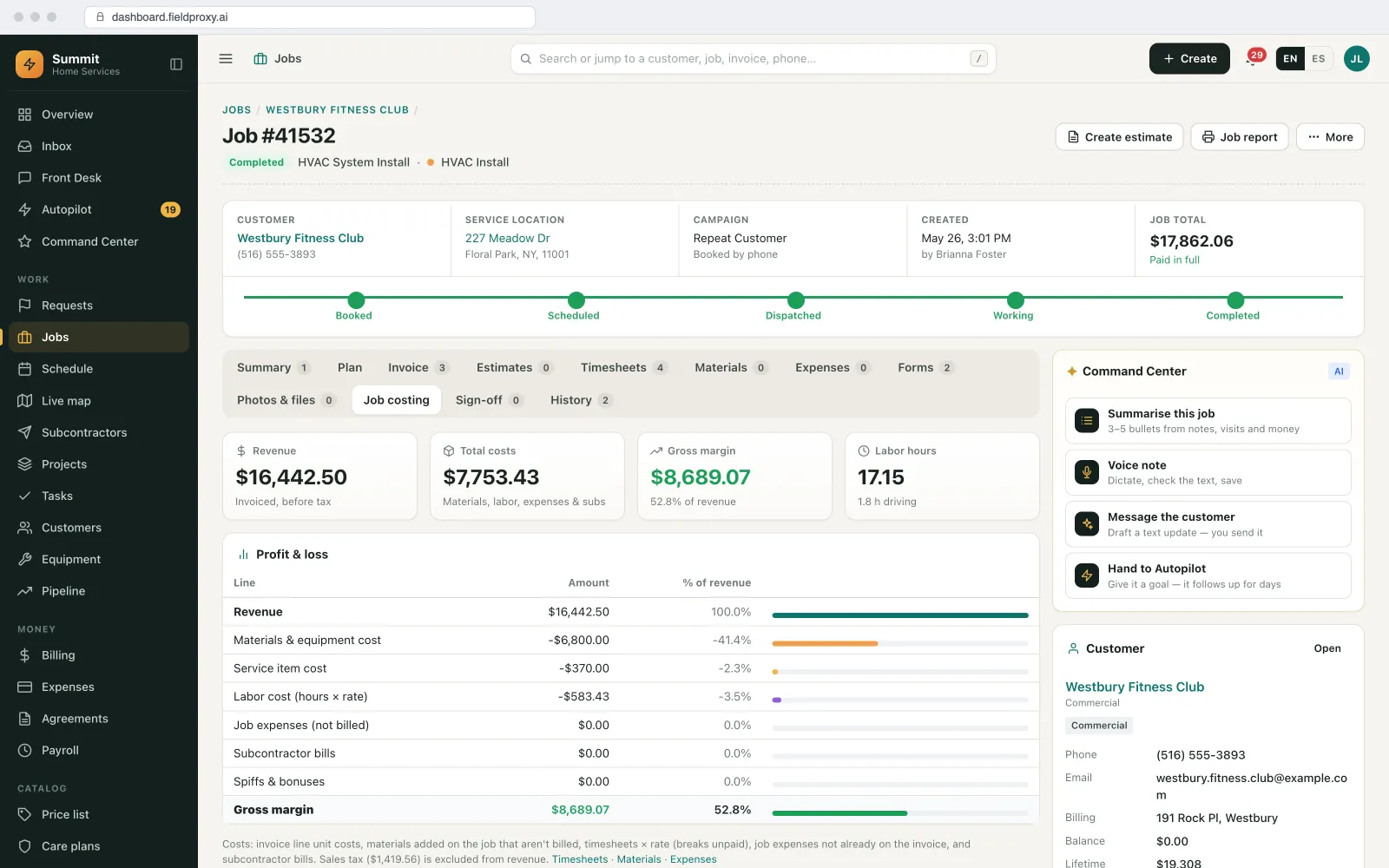
Everything about the job on one page
One job page, everything the office needs.
Open a job and the time, materials, costs, paperwork and people are all there, in tabs on the same record. No second system, no spreadsheet on the side.
Timesheets
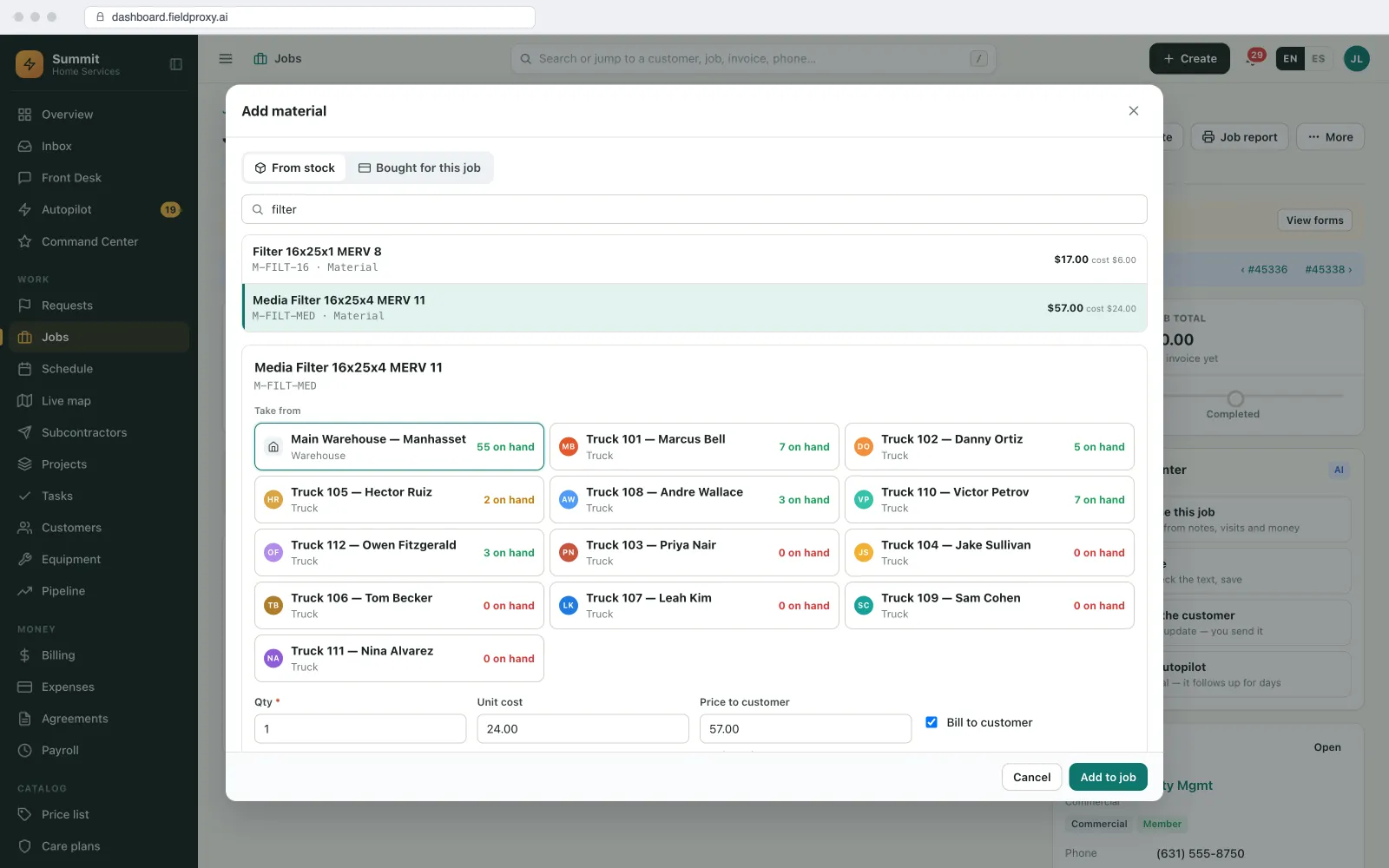
Materials from stock
Expenses
Forms
Files
Crew
Location map
@mentions
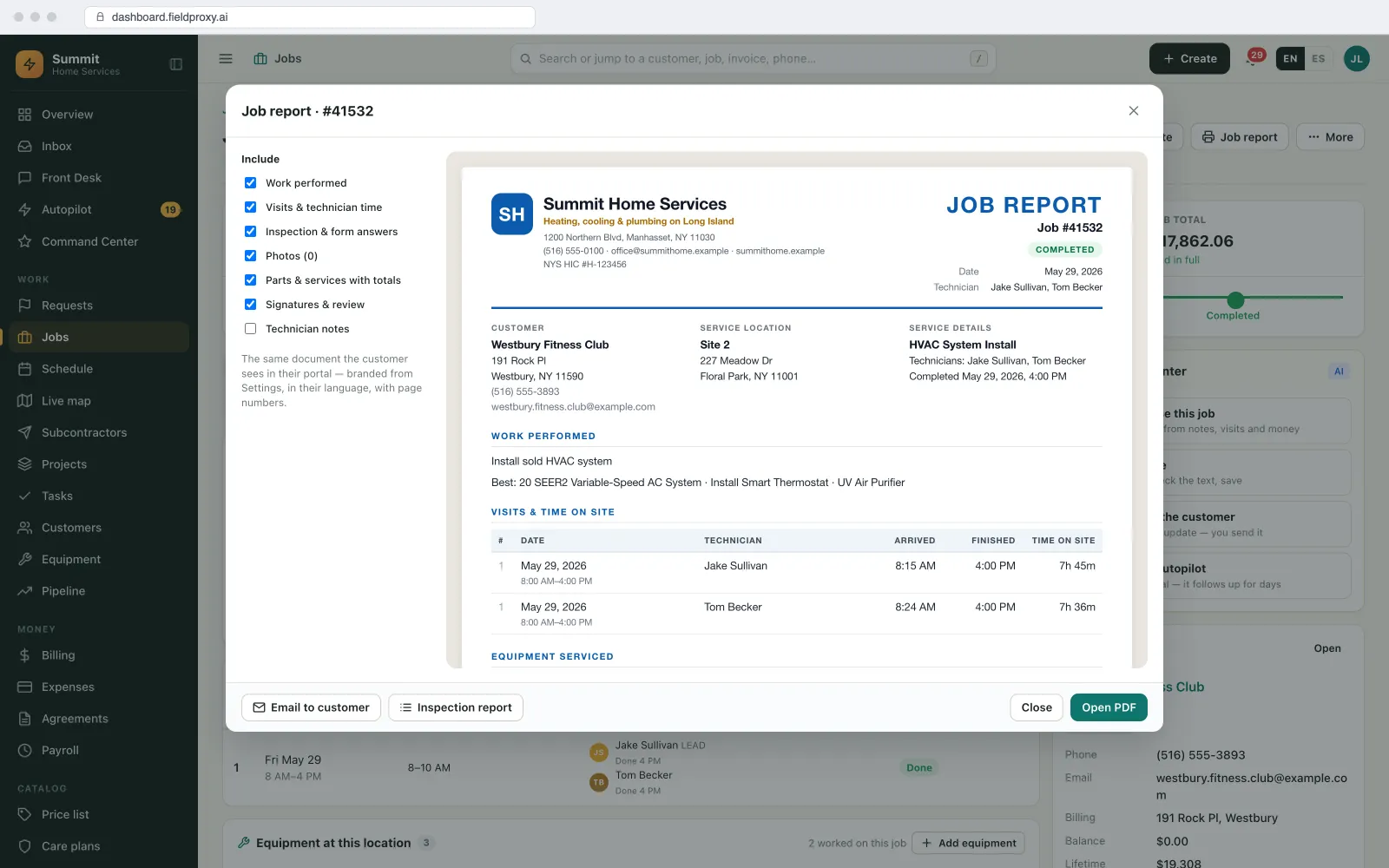
Job report PDF
SLA tracking
Every SLA clock, visible before it is breached.
Set response, arrival and completion targets, and every job carries its own clock against them, counted in business hours.
Response, arrival and completion targets
Per customer, agreement or priority
Business hours
Pauses
Escalation
Breach reasons and credits
SLA report PDF
On the job and the agreement
Plain English
Describe the change. It goes live.
2 fields added
Ladder-assist checkbox + crew-size field
Pushed to every tech
Live on new work orders instantly
History preserved
Closed jobs untouched, nothing lost
Live in
Built your way
Everything a work-order system should do.
A complete feature set: priority queues, service history, parts, photos, signatures, and more, ready to use from day one.
Priority-based queueing
Full service history
Photos, signatures & notes
Parts & materials tracking
Warranty & contract aware
Multi-site & multi-asset
Automatic time tracking
Status updates everyone sees
Recurring & maintenance jobs
Approvals that actually block
A complete audit trail per record
Share a job without giving out a login
The conversation lives on the job
See it built around how your team already works.
Get DemoShaped to your trade
Your business doesn't run like the template. Neither does Fieldproxy.
HVAC
Plumbing
Electrical
Want it running on your jobs? We set it up around them.
Get DemoIntegrations
Plays nicely with the tools you already use
QuickBooks
Invoices sync the moment a job is closed
Stripe
Collect on-site or send pay-by-link
Google Calendar
Techs see their schedule where they already look
Gmail / Outlook
Customer emails thread onto the work order
Signed webhooks
Work-order events pushed to your own systems, signed and retried
Zapier
Push work-order events into 5,000+ other apps
AI agents
The AI agents that work the queue with you
Every work order that lands is read, routed and watched by an agent before a dispatcher opens the board.
Dispatch Agent
Reads the incoming order (trade, address, SLA tier, what's on which van) and proposes the tech before anyone touches the board. You approve or override.
Watcher Agent
Watches every open order for the things that cost you the renewal: response window about to breach, a job parked in one status too long, close-out missing its photos.
Vision Agent
Turns the site photos into fields on the order (make, model, serial, visible condition), so the office isn't retyping what the tech already photographed.
See it built around how your team already works.
Get DemoQuestions
Straight answers.
What is work order software?
Work order software creates, assigns, tracks and closes the jobs your team does: what needs doing, where, by whom, by when, and what happened on site. Fieldproxy's work orders use your own fields, stages and rules, with photos, checklists and signatures from the technician app and an invoice from the completed job.
What is the best work order management software?
The best work order management software matches how your work actually flows, with your own stages, required fields and approval rules, instead of a generic template. It should connect requests, scheduling, the technician app and invoicing. Fieldproxy is set up to your process, from one price per company with unlimited users.
Can work orders have different fields for different job types?
Yes. Each job type can carry its own fields, checklists, required photos and stages, so an emergency call, a planned maintenance visit and an install each capture what they need.
Can customers or clients raise work orders themselves?
Yes. Requests can come in through a customer portal or link, by email, or from the AI agents answering calls and texts, and they land as work orders in your own stages.
How long does it take to set up?
We map how you run on a 30-minute call and configure Fieldproxy within a day. Fieldproxy AI moves your existing jobs and customers over from any major tool or custom system in less than a day.
Reshape your work orders in plain English.
Book a 30-minute call with a Solution Consultant. We'll reshape a work order to your exact process within a day and show it to you running.
Also works from ChatGPT, Claude and Copilot in Teams
Fieldproxy's MCP server lets your team run the day and change the software itself from the AI assistant they already use, with a confirm step before anything changes.