
Inventory & Purchase Orders
Inventory and purchase orders, tracked your way by truck, warehouse, tech, and trade.
Truck-level inventory, reorder points, supplier POs, and real-time usage tracking, configured to how your trade actually stocks and reorders, not a fixed template. Need a new field, rule, or queue? Change it in plain English and it is live. Fewer second trips. Fewer stockouts. More closed jobs.
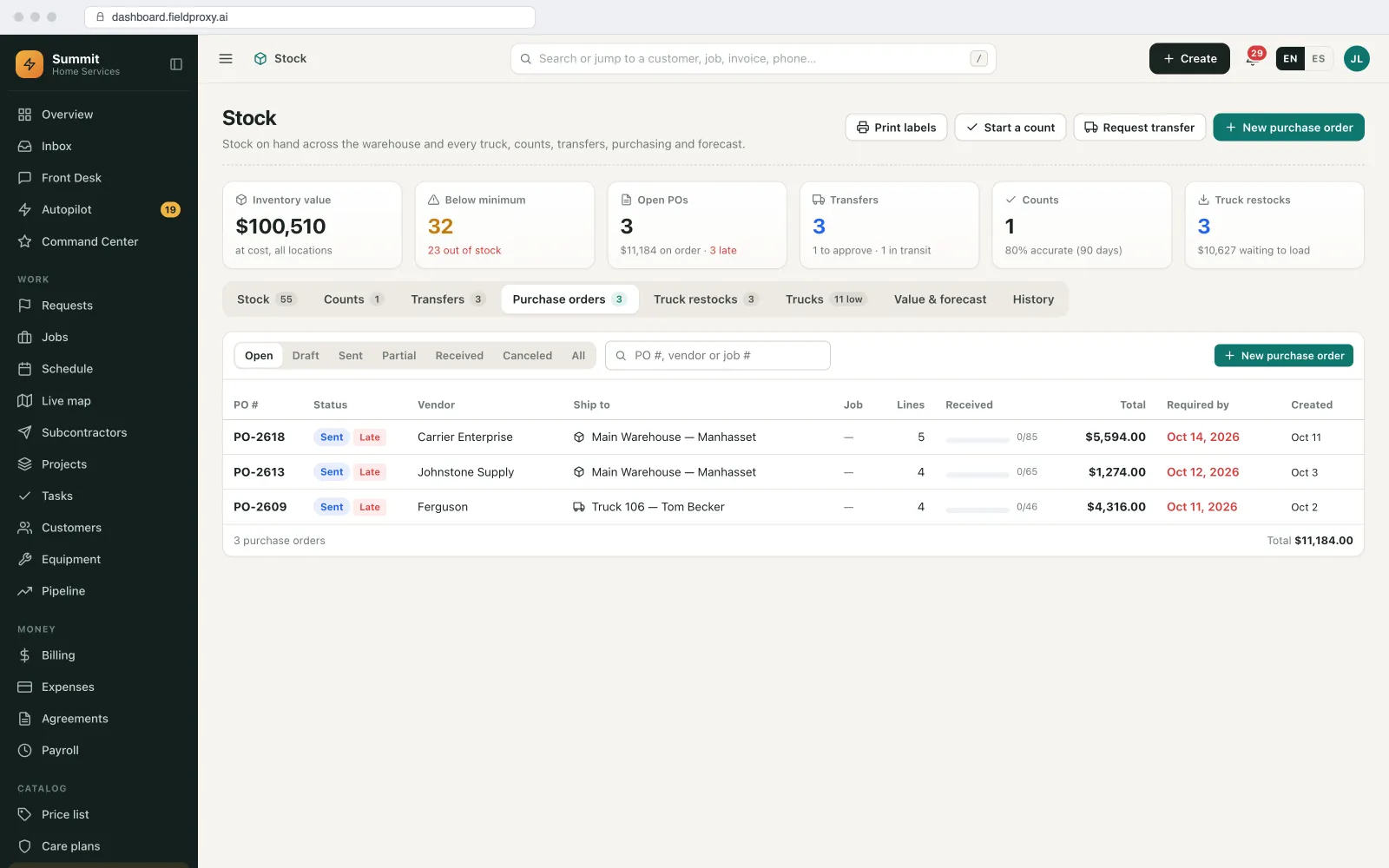
Inventory and purchase orders
Stock on every truck and shelf, and the POs to refill it.
Know what is on each van and in each warehouse, move it where it is needed, and order more without leaving the system.
Truck and warehouse stock
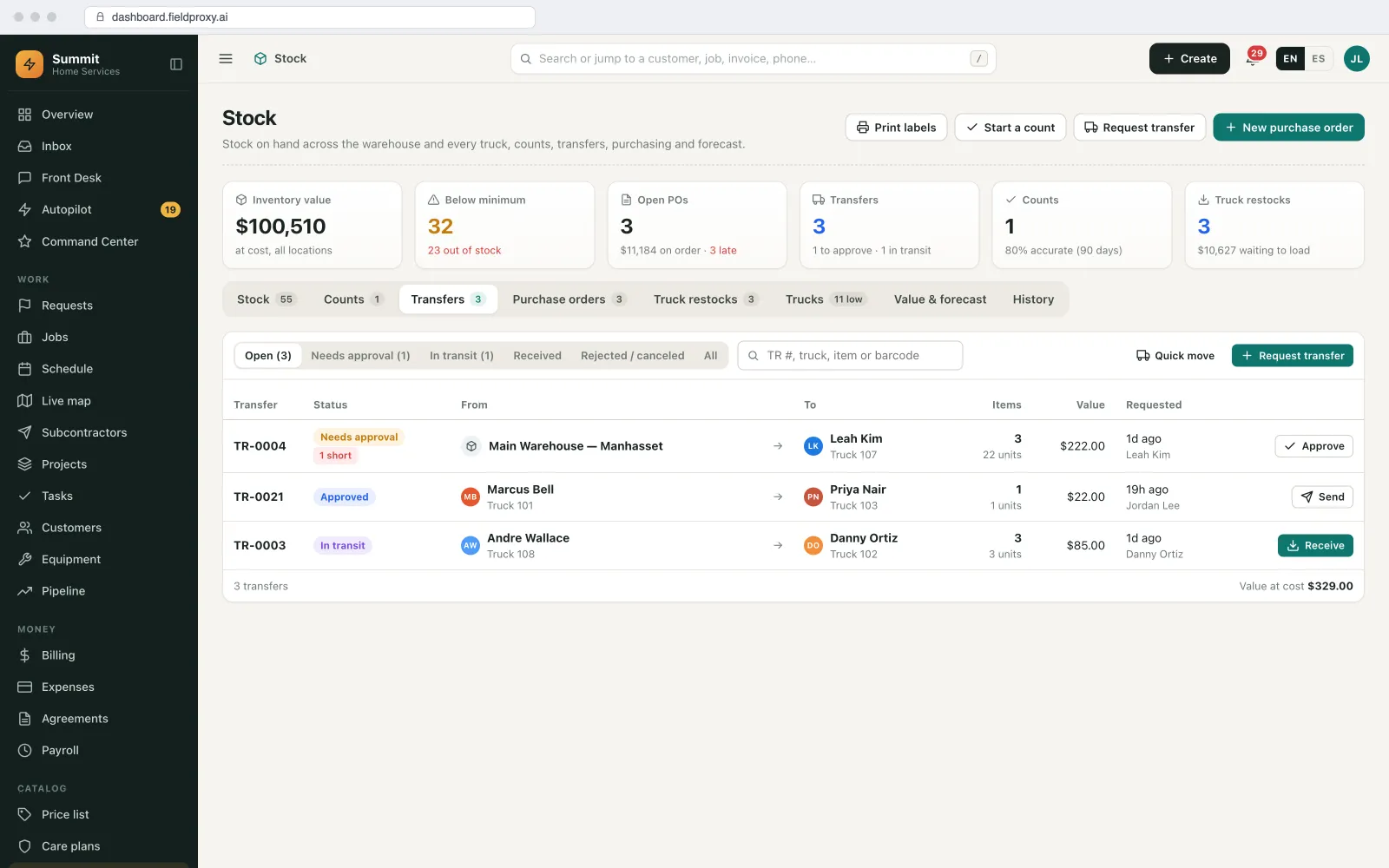
Transfers: approve, then send
Purchase orders
Stock counts
In buyers' own words
Parts problems, as buyers describe them.
Lines from our own sales calls with field service companies, lightly trimmed. Names and identifying details are left out.
“If we use it on the truck, and the guy doesn't remember to order it, then he's out there...”
Commercial HVAC and refrigeration contractor
In Fieldproxy: the reorder fires when the van's stock crosses its minimum, not when someone remembers.“It's a whole bunch of little warehouses on four wheels, driving around.”
Facility maintenance contractor
In Fieldproxy: every van is its own stock location, counted, restocked and checked against tomorrow's jobs.“If a technician took a photo of a receipt in the app, could it also create a line item charge for that receipt?”
Commercial HVAC and refrigeration contractor
In Fieldproxy: yes. The receipt is read onto the job's costs and a billable line is added at your markup for the office to check.“Any chance to indicate what part is under warranty, and what part is being delivered as a sale?”
Equipment maker's service team
In Fieldproxy: each part on a job is marked warranty or billable, and warranty parts go to their own claim queue.
Supplier reorders
Below minimum, a purchase order to the supplier.
Reordering is a rule on the stock number, per van and per warehouse, so it happens whether or not anyone is watching.
Minimum and target per location
The PO drafts itself
Grouped by supplier
Approval over your limit
Sent the way the supplier takes it
Received against the PO
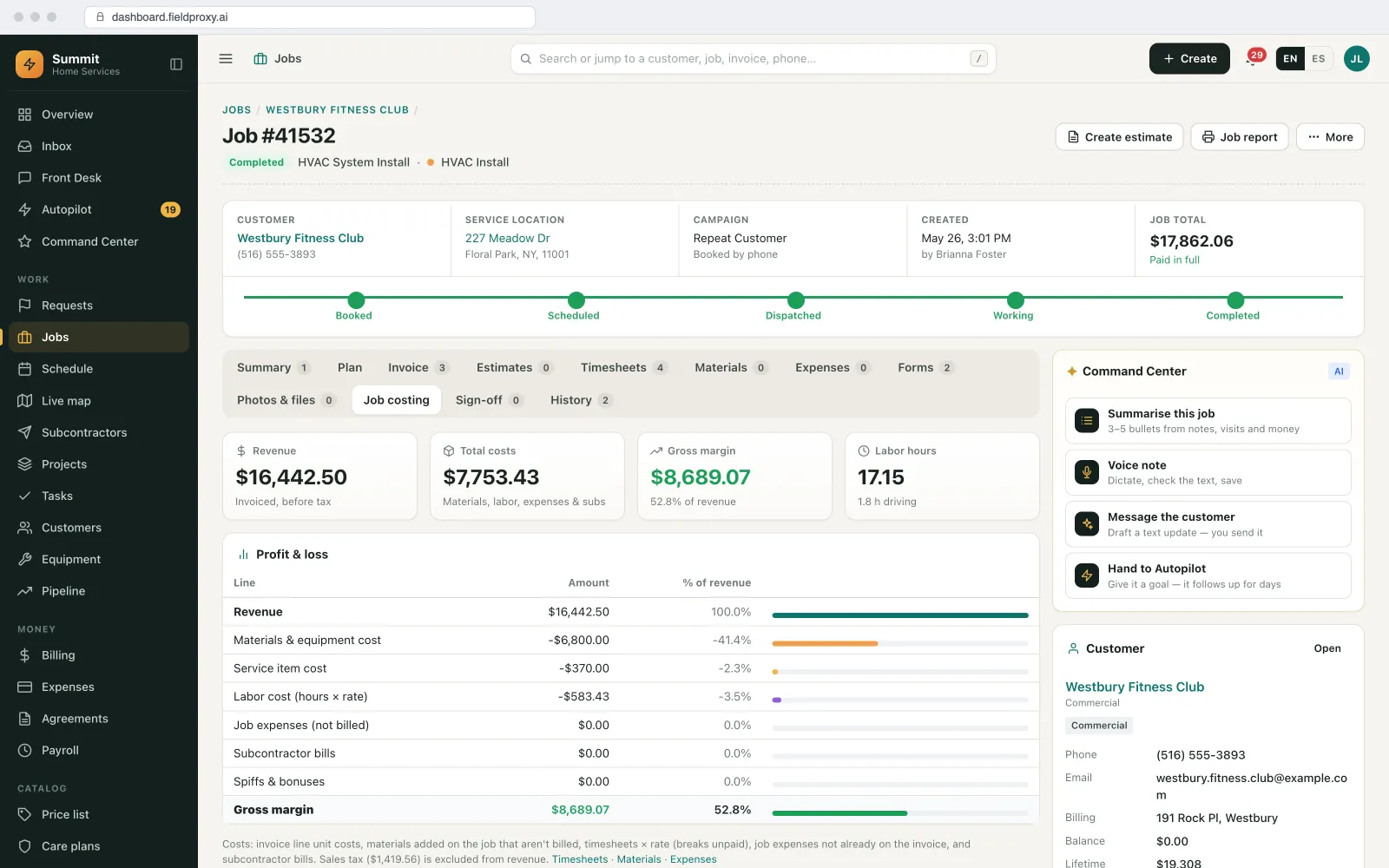
Receipts on the job
A receipt photo becomes a job line with your markup.
Not every part comes off the van. When a technician buys one at the counter, it should still reach the invoice.
Photographed on the job
Read by the Vision agent
A billable line at your markup
Checked before it is billed
Warranty or billable
Each part on the job is warranty or billable.
The difference decides who pays, so it is recorded when the part is used, not worked out at invoice time.
Marked when used
Billable parts priced
Warranty parts claimed
Reported both ways
Van stock
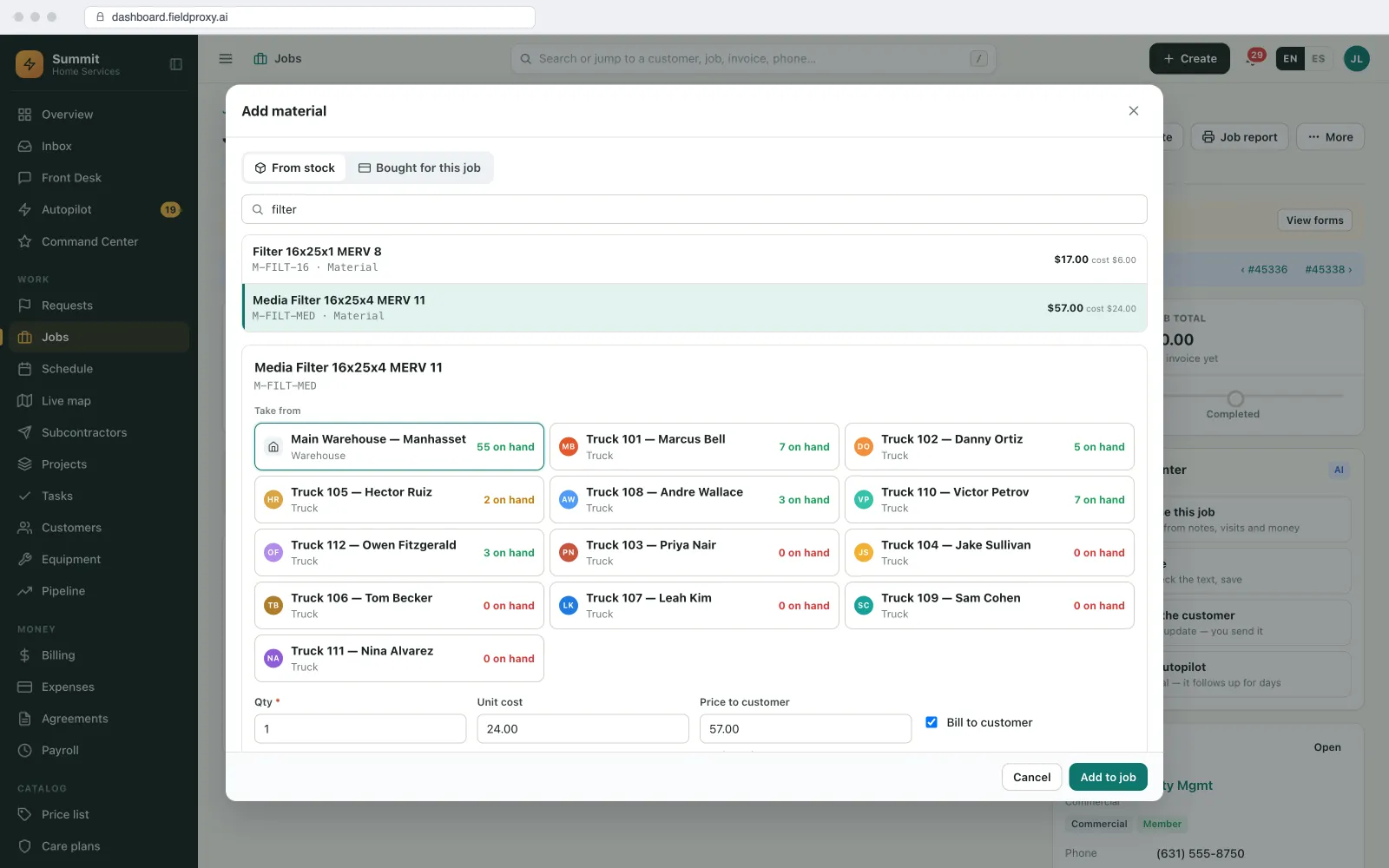
Every van is a stock location, and it stays accurate.
Van stock is only useful if it matches the shelf in the van. These are the habits that keep it there.
Scanned onto the job
Transfers approved, then sent
Counts from the phone
Checked against tomorrow
Field service inventory by trade
HVAC, plumbing and electrical inventory, tied to the work order.
Field service inventory is not a warehouse system: most of the stock is on vans, it is used one job at a time, and it has to land on the invoice. Fieldproxy keeps the stock and the work order together, so a part taken off the van is costed on the job that used it.
HVAC inventory
Plumbing inventory
Electrical inventory
Work order and inventory in one place
Reorder before the van runs out
Warranty parts kept apart
Plain English
Describe the change. It goes live.
2 fields added
Serial number + photo on part logging
Pushed to every tech
Live on every tech's mobile app, all branches
History preserved
Past logs untouched, new ones capture it
Live in
Built your way
Inventory that keeps up with the trucks.
Par levels, usage tracking, supplier POs, and warranty claims, without the clipboard.
Warehouse & truck stock
Par-level reordering
Barcode / QR scanning
Tech-truck allocation
Supplier POs
Warranty tracking
Stockout alerts
The reorder fires on the number
COGS per job
Usage analytics
Multi-location
Just-in-time ordering
See it built around how your team already works.
Get DemoEvery van
Its own stock
Auto POs
At your reorder level
Real cost
On every job
Shaped to your trade
Your business doesn't run like the template. Neither does Fieldproxy.
HVAC
Plumbing
Electrical
Want it running on your jobs? We set it up around them.
Get DemoIntegrations
Plays nicely with the tools you already use
Supplier POs
Send POs by email, or wire a supplier's own API where they publish one.
QuickBooks
POs, bills, and COGS synced automatically.
Barcode / QR
Print labels from the app. Scan with any phone.
Warranty claim workflow
Serial, install date and photo evidence assembled into a claim packet and tracked to settlement.
Zapier
Inventory triggers to any downstream workflow.
Webhooks
Real-time stock events into external systems.
AI agents
The AI agents watching the van
The parts problem is a timing problem. Agents see it a day earlier than a stock report does.
Watcher Agent
Cross-checks tomorrow's jobs against what's actually on the van and in the warehouse, and raises the reorder when a part crosses its par level.
Document Intelligence
Turns the supplier invoice or packing slip into receipt lines against the PO, and catches the price that came in above what you were quoted.
Dispatch Agent
Won't send a tech to a job the van can't finish. Parts on hand are part of the assignment decision, not a discovery on site.
See it built around how your team already works.
Get DemoWorked example
How parts and van stock work on a repair
A technician needs a condensate pump that is not on the van. Here is how the part is found, moved, used and costed without a second trip.
- 1
Upcoming jobs are checked against stock
Tomorrow's job at Elm Street Clinic needs a CP-220 condensate pump. The schedule warns that Van 14, assigned to the job, does not carry one.
- 2
A transfer is raised
The warehouse has two. A stock transfer to Van 14 is created and, because it is over your approval limit, waits for a manager to approve it.
- 3
The part is used on the job
On site, the technician scans the part onto the job. The van's stock drops by one, the part's serial is recorded against the unit it went into, and its cost lands on the job.
- 4
Reorder fires on the number
With the warehouse now at its minimum level, a purchase order for that supplier is drafted and routed for approval.
- 5
Goods are received
When the delivery arrives, it is received against the PO, partial deliveries included, and stock goes back up.
No second trip, an honest job margin because the real part cost is on the job, and a reorder nobody had to remember.
Names and figures in this example are demo data.
Screens from our demo account
What you can change, and how
Locations
Warehouses, branches and every van, as one inventory.
Reorder levels
Minimum and target levels per part and location; POs draft themselves when stock drops below.
Approvals
Gate transfers and POs above a value, or for certain parts, for sign-off.
What is captured on use
Serials, photos or warranty details when a part is logged; change it in plain English.
Van kits
Starter kits by trade, restocked from what each van actually used.
Suppliers
The preferred supplier per part, how POs reach them (email, or their API where they publish one) and whether a van's PO is for collection or delivery.
Markup
Markup rules by category or cost band, with a margin floor, applied to parts and to receipts turned into job charges.
Warranty or billable
Which parts default to warranty (by asset warranty dates or agreement) and what a warranty claim must carry, such as serial, install date and photos.
How it connects to the rest of Fieldproxy
Parts used land on the job with their cost, so margin is real.
Quotes price from your own cost book and stock.
Parts fitted are stored against the unit with serial and warranty.
QuickBooks, Xero and Sage
Supplier bills sync two-way with your accounting, with the part costs on the job.
Getting supplier part prices into your price book and onto quotes.
When this is not the right fit
- If technicians buy parts at the supply house job by job and you keep no stock, inventory tracking adds work. Recording parts on the job is enough.
- Van stock is only accurate if technicians log what they use. Scanning makes it quick, but it still has to happen.
- Fieldproxy is not warehouse management software for distribution. It is built for service stock on vans and in a few stores.
Questions
Straight answers.
What is field service inventory management?
It tracks parts in your warehouses and on every van, records what is used on each job, and reorders before you run out. In Fieldproxy it is part of the job, so parts used cost the job automatically.
Can we track stock on each technician's van?
Yes. Every van is a stock location, updated when parts are scanned onto a job or transferred.
Does it create purchase orders automatically?
Yes. When a part drops below its minimum level, a purchase order is drafted and routed for approval.
Can technicians scan parts?
Yes, with the phone camera for barcodes and QR codes, to receive, pick and log usage.
Will it warn us about parts we need for upcoming jobs?
Yes. Upcoming jobs are checked against stock so missing parts show before the technician leaves.
Can it reorder from our supplier when a van drops below its minimum?
Yes. Each van and warehouse has minimum and target levels per part. When stock drops below the minimum, a purchase order to that part's supplier is drafted for the van or the warehouse, routed for approval if it is over your limit, and sent by email or through the supplier's own API where they publish one.
Can a technician turn a receipt photo into a charge on the job?
Yes. The technician photographs the receipt on the job, the Vision agent reads the supplier, date and amount into the job's costs, and a billable line is added at your markup rule for the office to review before the invoice goes.
Can we mark parts as warranty or billable?
Yes. Each part used on a job is marked warranty or billable. Billable parts are priced on the invoice; warranty parts are recorded at no charge to the customer, with their serial, and collected into a separate warranty queue for the claim.
How do we keep van stock accurate?
Parts are scanned onto jobs from the van, transfers are approved then sent, and vans can be counted from the phone, with every correction recorded. Starter kits by trade are restocked from what each van actually used.
Kill the second-trip problem.
30-minute live demo on your real fleet. We'll restock three trucks in front of you.
Also works from ChatGPT, Claude and Copilot in Teams
Fieldproxy's MCP server lets your team run the day and change the software itself from the AI assistant they already use, with a confirm step before anything changes.