
Maintenance Management
Maintenance management software for every site and asset you look after.
Assets by site with QR codes, preventive maintenance by date, usage or meter reading, and maintenance work orders that come from customer requests, PM plans and failed inspection items. Parts come off the van or the warehouse, every visit is kept on the asset's history, and you see PM completion and backlog by site and customer. Built for service contractors and facility teams who maintain equipment at many sites, set up around your own process and live within a day.
 Maintenance · this weekLive
Work orders · Harbour Point and 6 more sites
4 records
Work order
Came from
Status
WO-90512 · AHU-01 quarterly PM
Harbour Point · plant room
PM plan
WO-90517 · Chiller noise
Harbour Point · CH-01
Portal request
WO-90520 · Replace belt, RTU-02
Riverside Plaza · roof west
Failed inspection item
WO-90498 · Generator run test
Elm Street Clinic
500 run-hours reached
The backlog, with the reason next to each line.
Approve the fixes, or change them first.
Watcher Agent
Watching
Task
What it checked
Action
Two fixes ready to approve
Book the generator test Thursday with Priya; send Sam to the chiller today.
What it is
Maintenance management, for work done at other people's sites.
Maintenance management software keeps a record of the equipment you maintain, plans the preventive work it needs, turns requests and inspections into work orders, tracks the parts used and keeps the history, so nothing is missed and everything can be proven. Most tools in this category are built for an in-house team maintaining its own factory. Fieldproxy is built for the other case: a service company or facility team whose technicians drive between sites, and whose customers expect a report and an invoice.
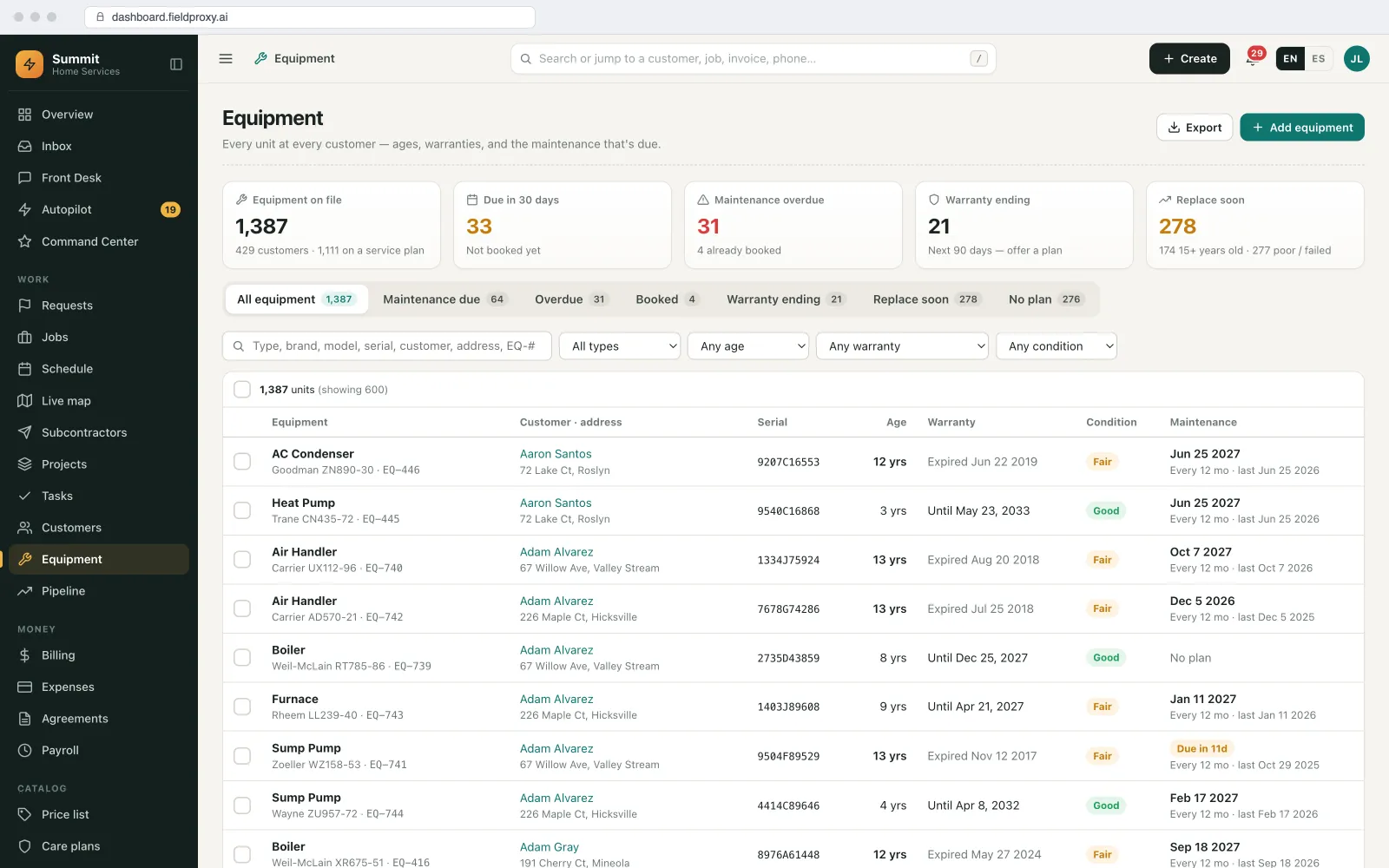
Assets and equipment
Every unit at every site, one scan from its record.
The asset register is organised the way your work is: customer, site, building or floor, then the unit.
Your asset types and fields
Organised by customer and site
QR codes per site and asset
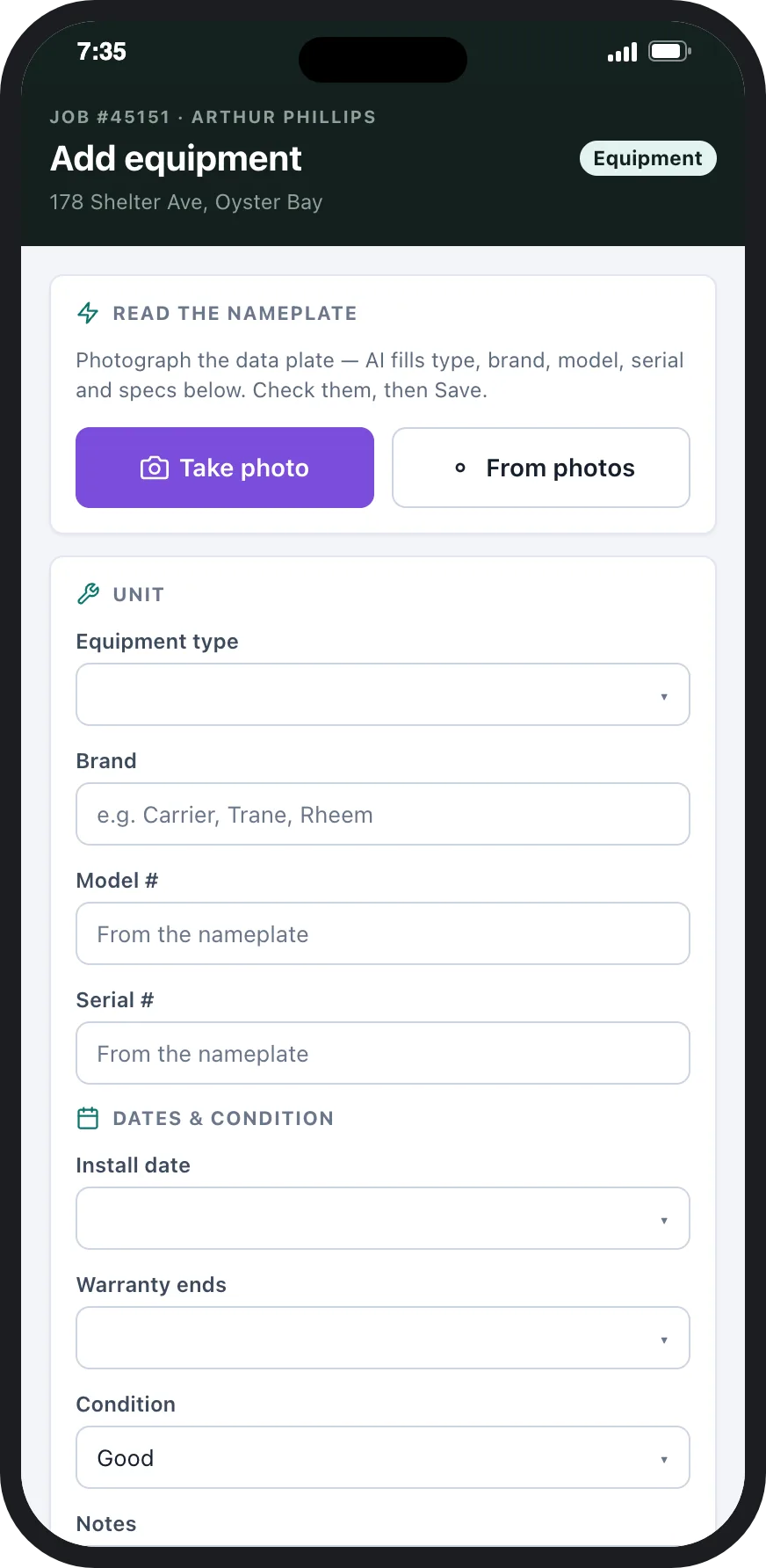
Added from the field
Warranty before the quote
Brought in for you
Preventive maintenance
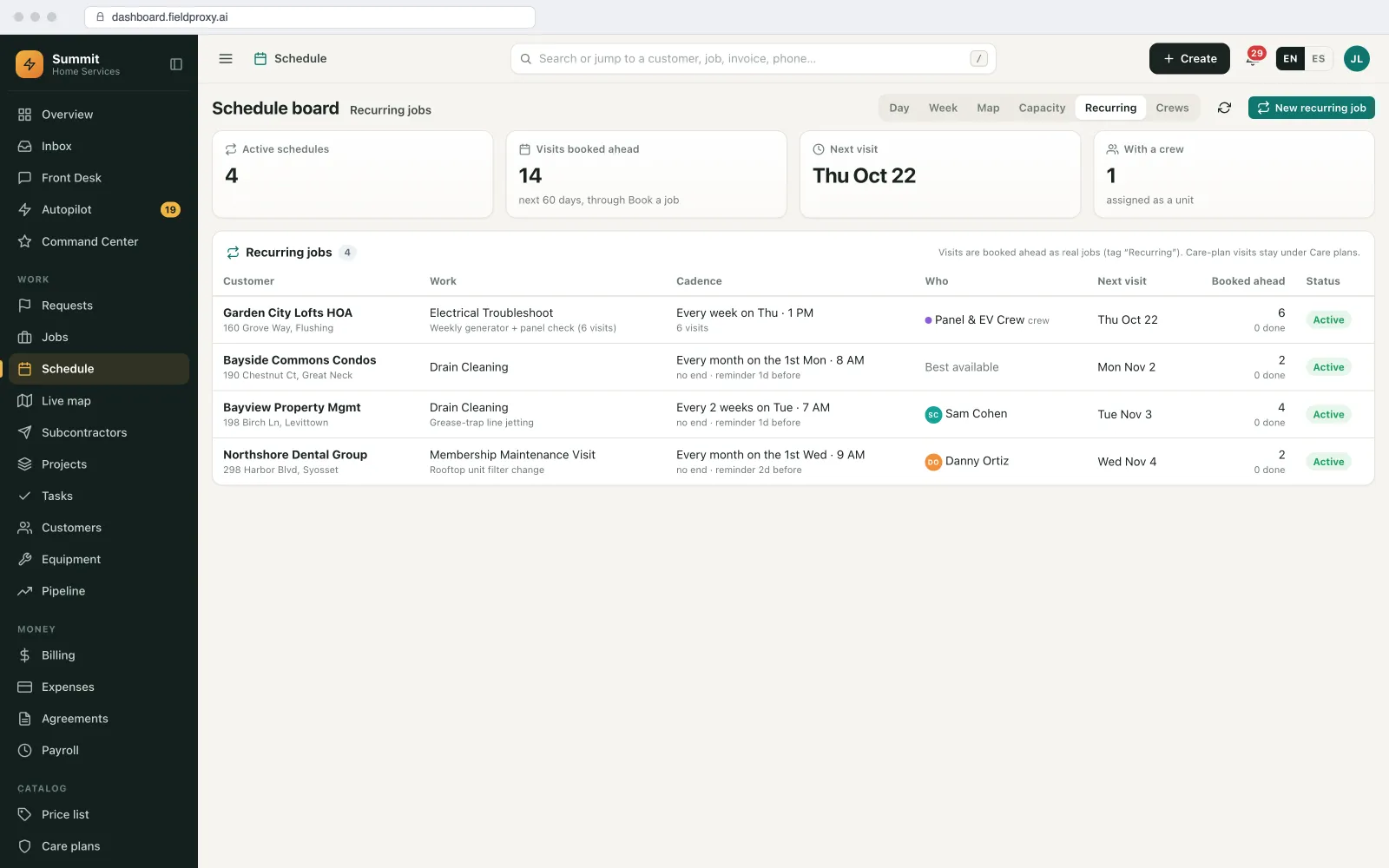
PM schedules by date, usage or meter, booked as real jobs.
Preventive maintenance is planned per unit or per site, and the visits are created ahead so they sit on the schedule beside reactive work.
By time
By usage or meter
Created ahead, fitted to capacity
Overdue is loud
Maintenance work orders
One kind of work order, whatever started it.
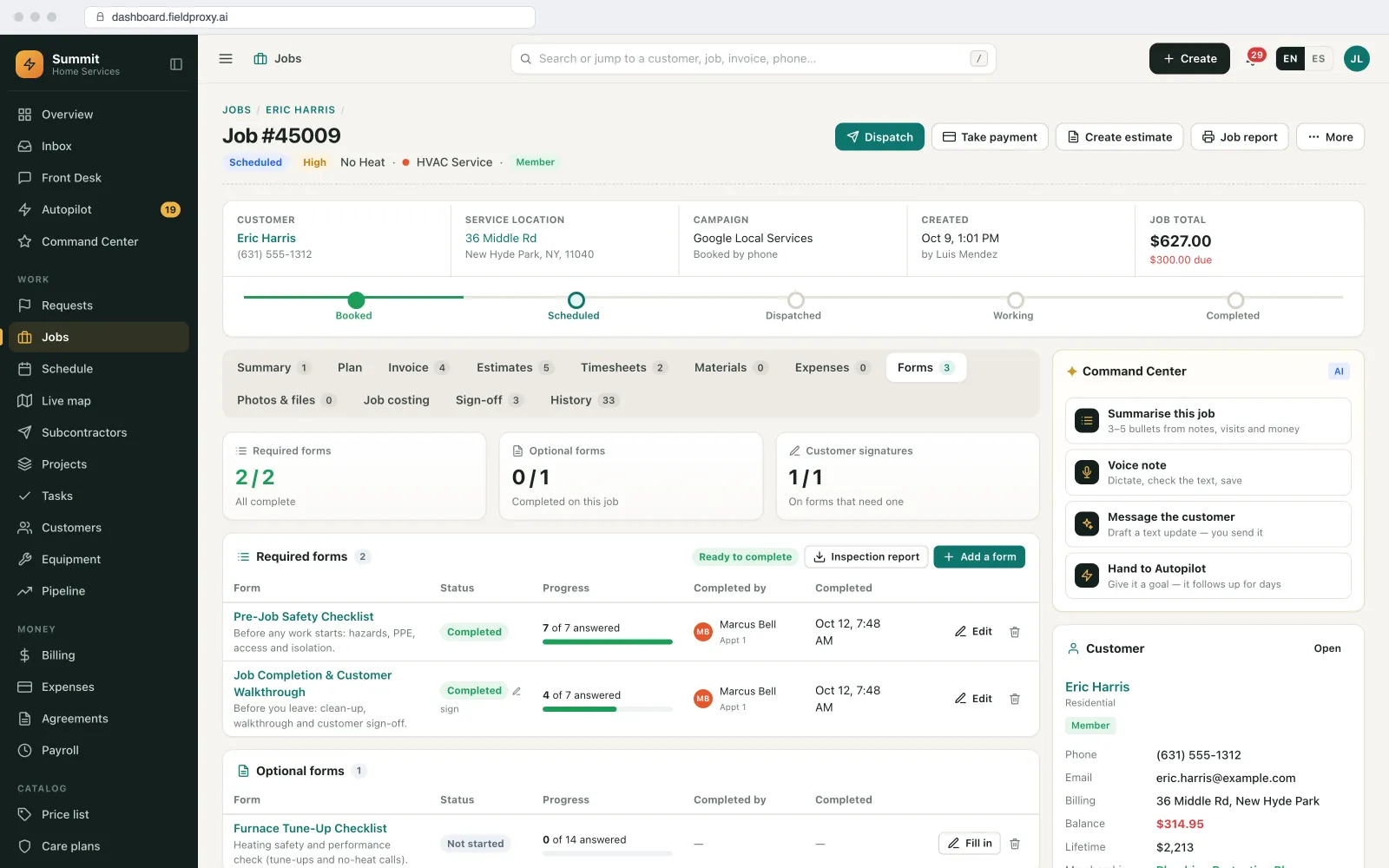
Requests, planned maintenance and inspection findings all become the same work order, tied to the site and the asset, with your own stages.
From requests
From the PM plan
From inspections
Your own stages
Not-to-exceed amounts
Dispatch with approval and undo
Parts and stock
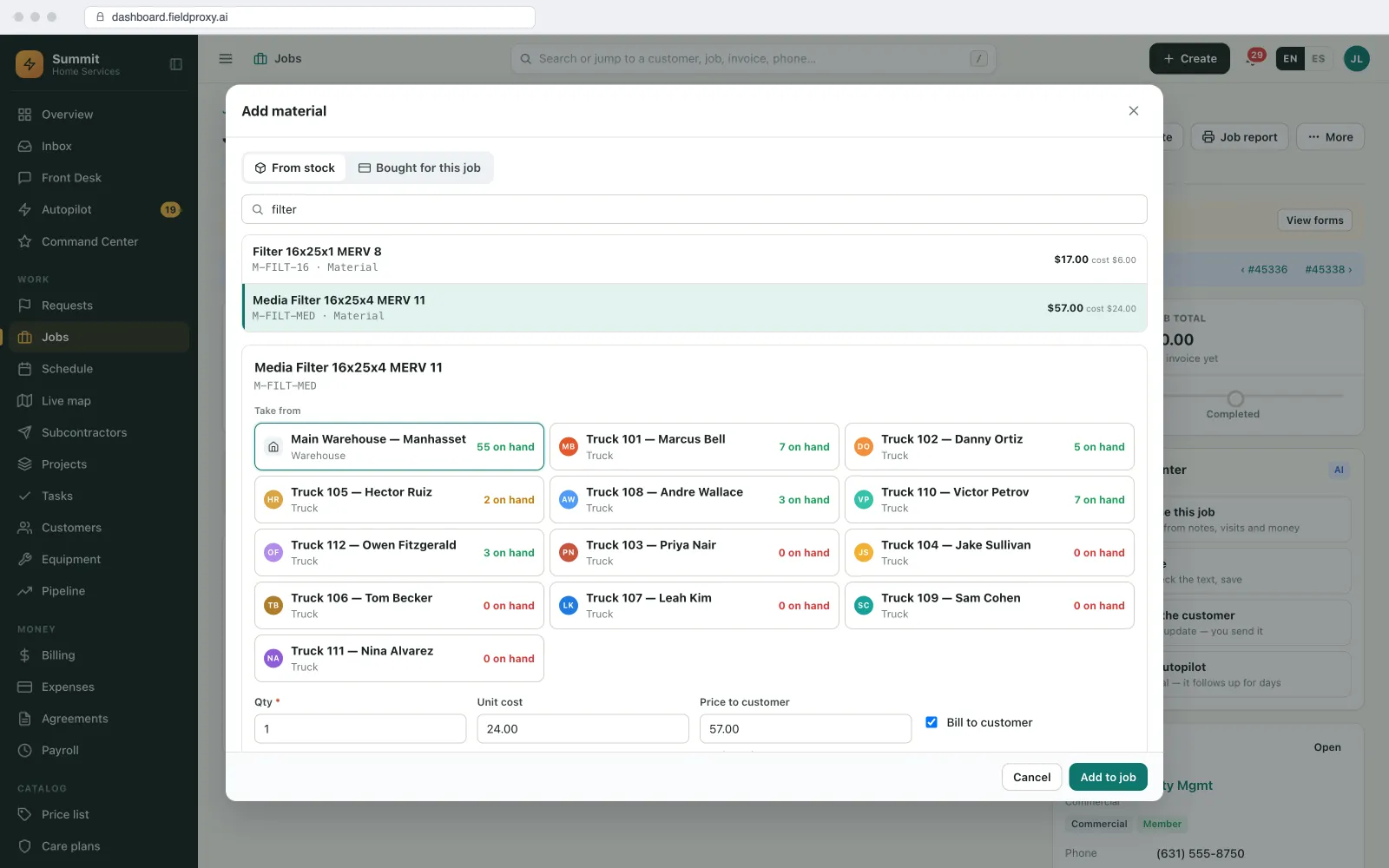
Parts off the van or the warehouse, recorded against the asset.
Maintenance stalls on parts. Stock is tracked where it actually is, so the technician knows before driving out.
Van and warehouse stock
Parts on the asset
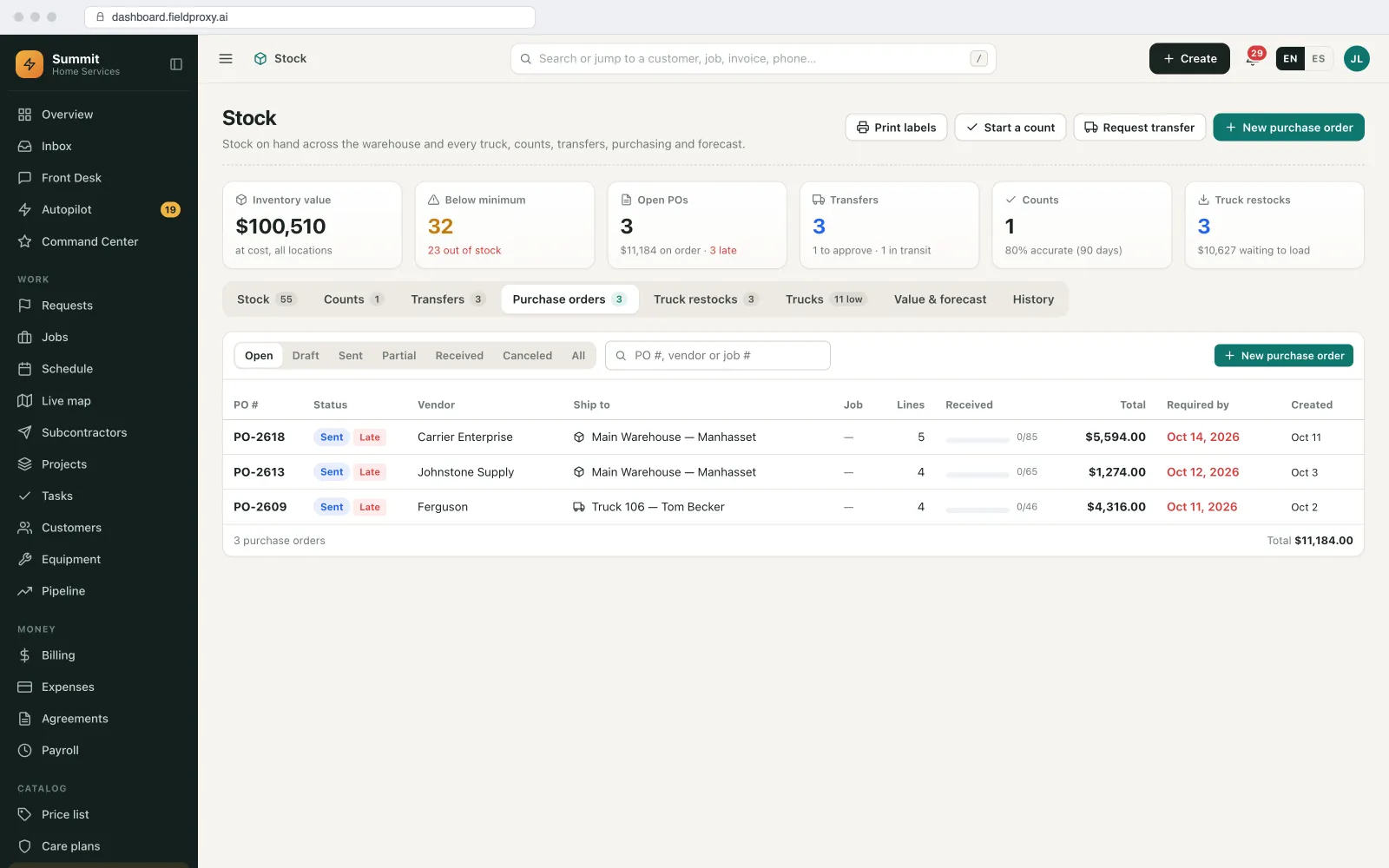
Transfers and purchase orders
Waiting on parts is a stage
Maintenance history
The asset's history outlasts the technician.
Every visit writes to the unit, so the record does not live in one person's head or one spreadsheet.
Every visit on the unit
Photos over time
Reports from the record
Shared when you choose
Compliance checklists
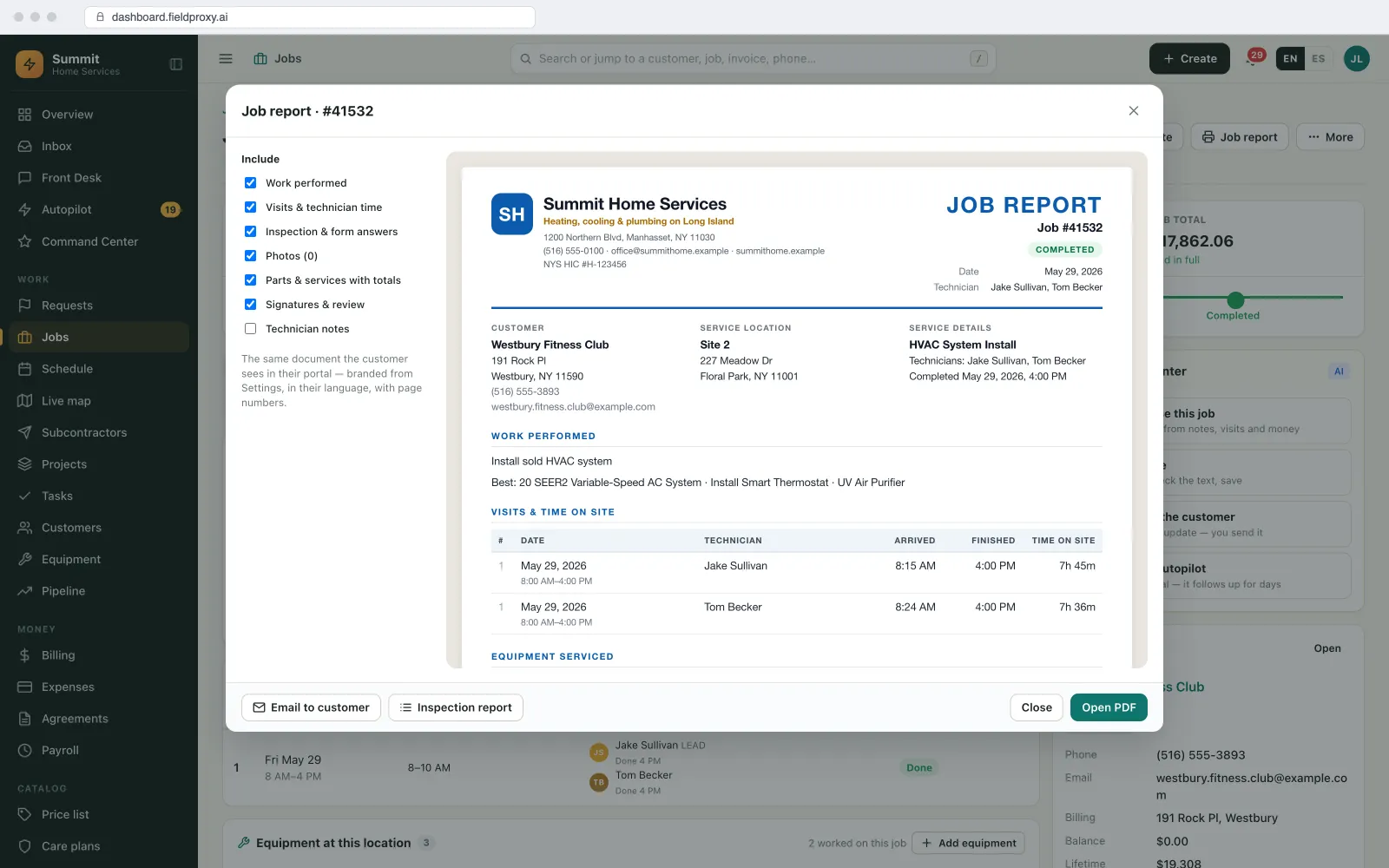
Checklists that have to be finished before the job can close.
Inspections and statutory checks only count if they were done the same way every time. Your checklists enforce that on the phone.
Your checklists, per equipment type
Required items gate completion
Safety first
Evidence you can hand over
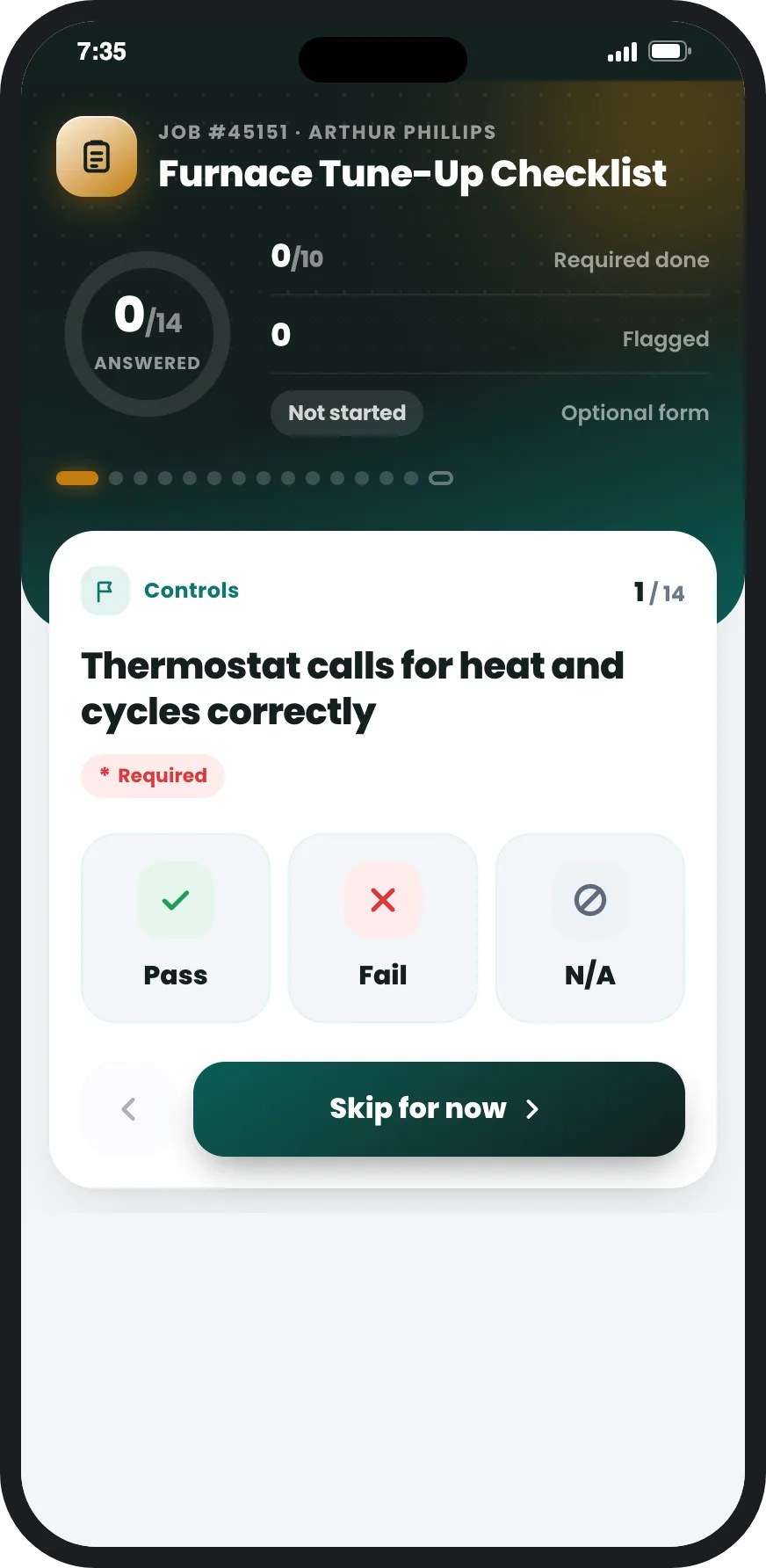
Reporting
PM completion and backlog, by site, customer and technician.
The questions a maintenance manager asks every week, answered from live data.
Due, overdue and done
Backlog with reasons
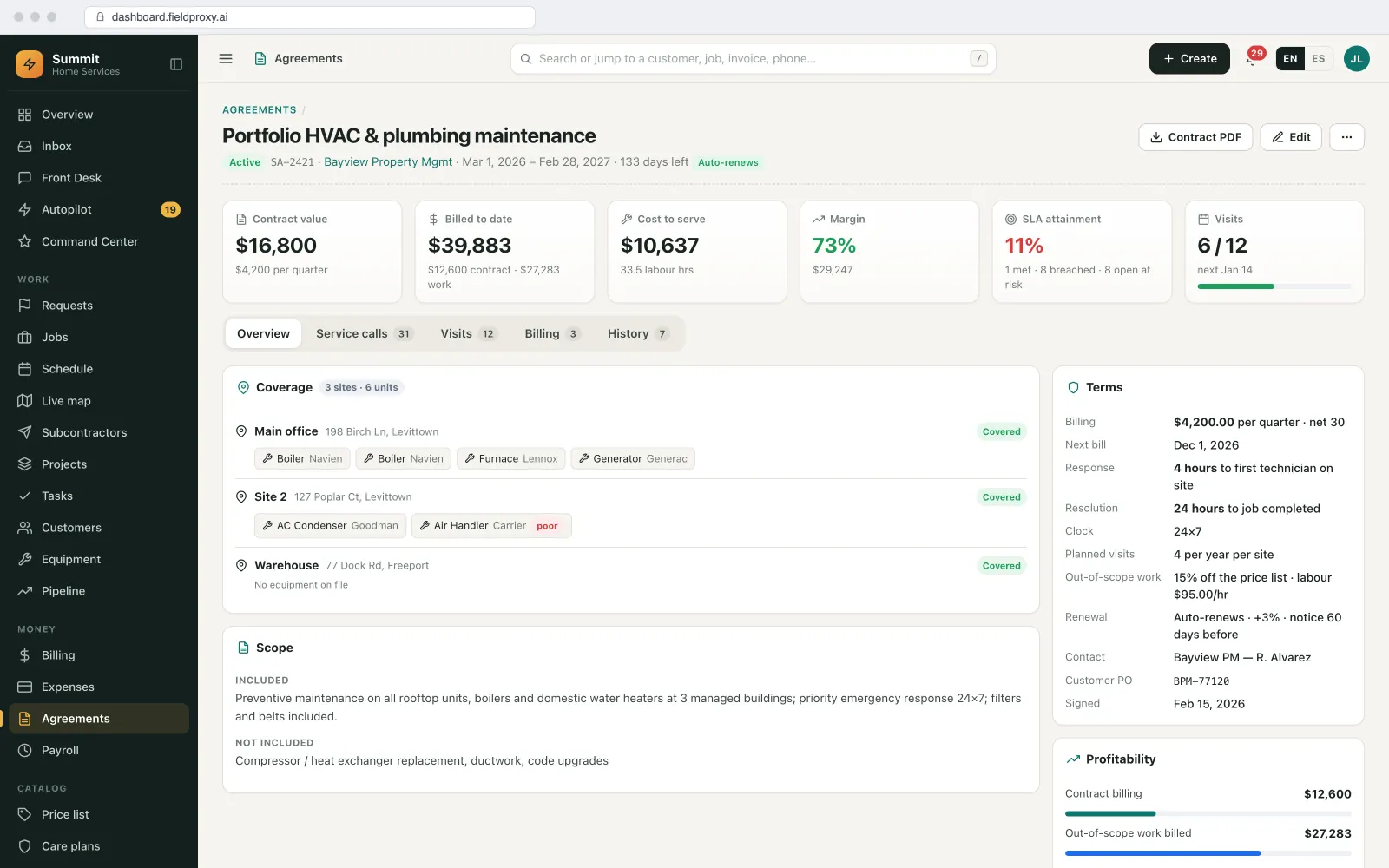
Agreement performance
Ask in plain English
Sent on a schedule
Exported
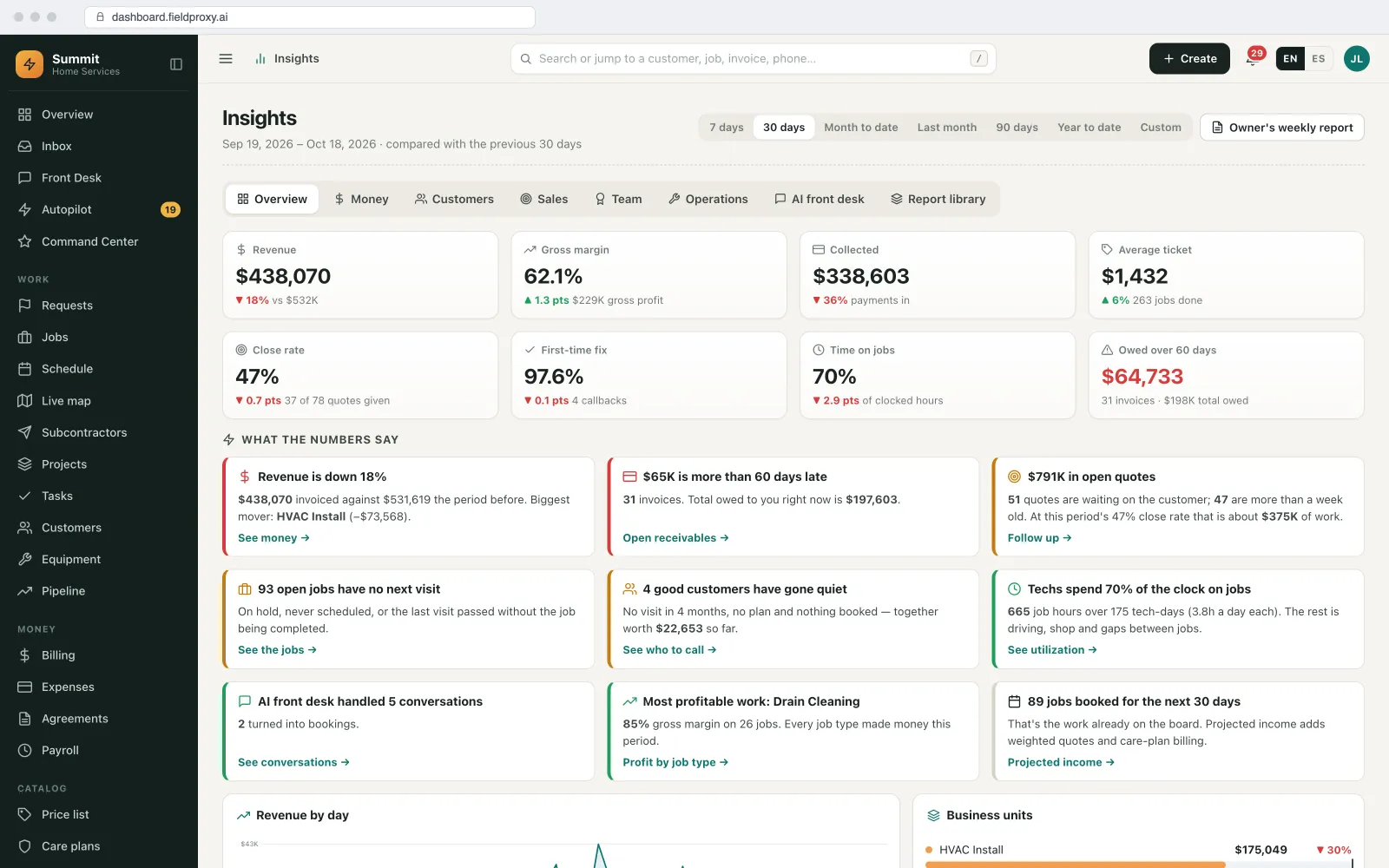
Customer request portal
Customers raise maintenance requests and see what happened.
A facilities manager should not have to ring you to find out whether the chiller was fixed.
Request with a photo
Your rules decide
Visits, reports and quotes
No seats to buy
CMMS vs field service maintenance software
Do you need a CMMS, or field service maintenance software?
A CMMS (computerized maintenance management system) and field service maintenance software share a core: an asset register, preventive maintenance, work orders, parts and history. They differ in who does the work, where, and who pays for it. Fieldproxy is the second kind, and it is not a plant-floor CMMS.
| Plant-floor CMMS | Field service maintenance software (Fieldproxy) | |
|---|---|---|
| Who does the work | An in-house maintenance team at your own plant or building | Technicians who travel to customer sites, or a facility team covering many buildings |
| Whose equipment | Assets you own | Equipment you look after for customers, by customer and site, plus your own if you have it |
| Where work comes from | Operators and staff raising requests, PM plans, sensors on the line | Customer requests (portal, email, phone, QR code on the unit), PM plans, inspections and agreements |
| Scheduling | Shifts and crafts in one location | Technicians across many sites, with skills, drive time and parts in the van |
| Money | Maintenance cost against a budget | Quotes, not-to-exceed amounts, invoices, payments and agreements billed, synced with QuickBooks, Xero or Sage |
| Reliability analysis | Usually deeper: failure codes, root cause, MTBF and MTTR, condition monitoring | Readings and run-hours rules, history per asset and overdue alerts; not a reliability engineering suite |
A dedicated CMMS is the better pick when
- You maintain your own production lines or plant, and nobody is invoiced for the work.
- Your requests come mainly from operators on the shop floor, and your technicians rarely leave the site.
- You need reliability engineering: failure codes, root-cause analysis, MTBF and MTTR, and condition monitoring from many sensors.
- Maintenance has to live inside your ERP's plant maintenance module.
Fieldproxy is the better pick when
- You maintain equipment at customer sites, or your own team covers many buildings.
- Technicians drive between jobs and need routes, offline forms and parts in the van.
- The work is quoted, approved, invoiced and paid, often against an agreement or a not-to-exceed amount.
- You want maintenance, scheduling, invoicing and the customer portal in one system instead of several.
Next: preventive maintenance and service agreements · work orders · parts and inventory · facilities
Plain English
Describe the change. It goes live.
Meter rule added
Every 250 run-hours, per generator
Overdue flag
Past 500 hours with no work order
Applied to new readings
History left as it was
Live in
Built your way
Maintenance management, set up around how you already work.
Your asset types, your checklists, your stages and your agreements. Changed in plain English when your process changes.
Asset register
PM by date
PM by meter
Maintenance work orders
Van and warehouse stock
History per asset
Compliance checklists
PM completion and backlog
Request portal
See it built around how your team already works.
Get DemoPer unit
PM cadence and history
Any source
Request, PM or inspection becomes a work order
1 day
To go live, set up around your process
Platform
Everything you need, in one platform
A complete field service suite, explore what's included.
Preventive Maintenance & Agreements
Work Orders & Jobs
Inventory & Purchase Orders
Asset Management
Job Checklists
CRM & Customer Portal
Want it running on your jobs? We set it up around them.
Get DemoIntegrations
Plays nicely with the tools you already use
QuickBooks
Two-way with Online, Desktop and Enterprise: customers, items, invoices, payments and bills.
Xero and Sage
Invoices, payments and bills synced two-way.
Stripe
Payment links on invoices and Tap to Pay on the technician's phone.
Open API and webhooks
Bring meter readings or requests in from other systems; send work orders out.
Zapier
Work order and asset events as triggers for your other tools.
MCP server
Ask Claude, ChatGPT or Copilot for overdue PM or the backlog, or raise a work order, with a confirm step.
AI agents
The AI agents that keep maintenance from slipping
They find, draft and suggest. Nothing goes to a customer or changes the schedule until a person approves it.
Watcher Agent
Watches every PM cadence, meter rule and open work order, and flags what is overdue, unassigned or stuck waiting on a part, with a fix for a person to approve.
Vision Agent
Reads the make, model and serial off a nameplate photo into the asset record, so the register is filled from the field.
Document Intelligence
Turns an emailed or PDF work order from a facility client into a job on the right site, with the not-to-exceed amount and reference filled in.
Scheduler Agent
Sends the weekly PM completion and backlog report to you, or to each customer for their own sites.
See it built around how your team already works.
Get DemoWorked example
How a maintenance month runs for a contractor with many customer sites
A mechanical contractor maintains rooftop units, air handlers, chillers and standby generators for property and healthcare customers. Here is one month of maintenance, from the plan to the report the customer gets.
- 1
PM visits are already on the schedule
Riverside Plaza's quarterly HVAC PM was created weeks ahead from its agreement and assigned to Luis, who usually covers the site. The visit carries the checklist for each unit type.
- 2
A reading triggers a work order
On a monthly check at Elm Street Clinic, Priya enters the generator's hour meter. It has passed 500 run-hours, so a service work order is raised on that generator by the rule the office set.
- 3
A request comes in through the portal
The facilities manager at Harbour Point reports a grinding chiller, with a photo. The request lands as a work order on CH-01 and waits in To dispatch; the Dispatch agent suggests Sam, who is nearby and certified, and the dispatcher approves.
- 4
An inspection item fails
During the Riverside PM, the belt on RTU-02 fails the visual check. Luis photographs it; the failed item raises a deficiency on the unit and the office sends a quote, inside the customer's not-to-exceed amount, which is approved in the portal.
- 5
Parts come off the van
The belt is on Dev's van. It is taken off his stock on the repair work order and recorded on RTU-02's history, and a purchase order tops the van back up.
- 6
The month is reported
On the first Monday the customer gets a report of PM visits done, work orders raised and closed, and what is still open, generated from the work orders themselves.
Planned, reading-based, requested and inspection-driven work all went through the same work order, every unit's history is complete, and the backlog the manager sees has a reason next to each open line.
Names and figures in this example are demo data.
Screens from our demo account
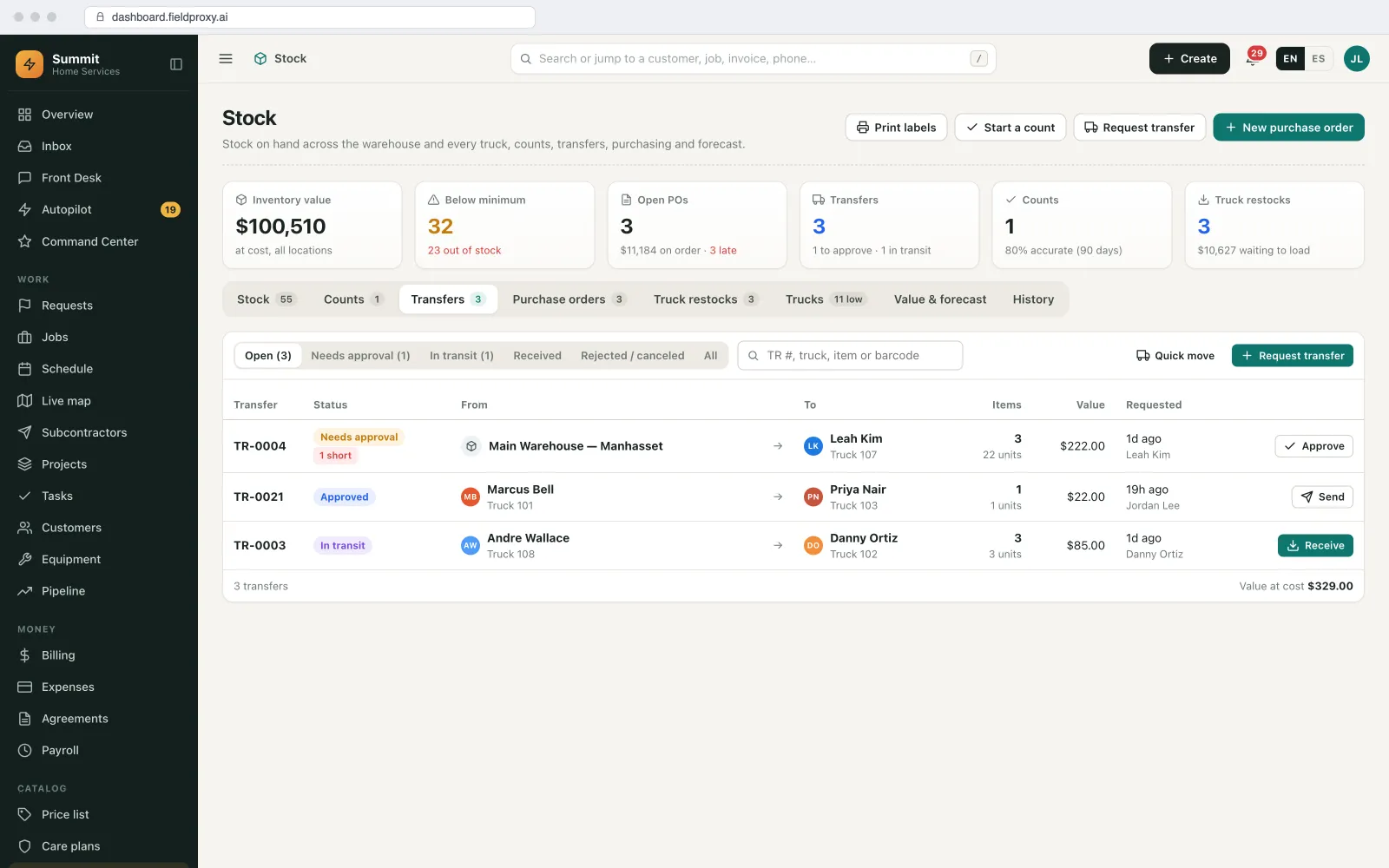
What you can change, and how
Asset types and hierarchy
Your equipment types, the fields each carries, and customer, site, building, floor and unit.
PM triggers
By date, season, run-hours or a reading limit, per unit, per site or from the agreement.
Work order stages
Your own stages and priorities, including waiting on parts and waiting on approval.
Checklists
Per equipment type, with required items, photos, readings and signatures, and which failures raise a deficiency.
Request rules
Which portal or QR requests confirm straight away and which wait for approval, and not-to-exceed amounts per customer.
Reports
Which PM completion and backlog reports go to whom, and how often.
How it connects to the rest of Fieldproxy
Preventive maintenance and agreements
The PM plans and agreements this page's visits come from.
Stages, dispatch and job costing for every maintenance job.
Van and warehouse stock used on the work orders.
The register, nameplate capture and warranty in depth.
Turning a list of due dates into crew days.
When this is not the right fit
- If you maintain your own factory from the inside and never bill anyone, a plant-floor CMMS is the better fit.
- Reliability engineering such as failure-code analysis, MTBF and MTTR, or condition monitoring from many sensors, is the job of a dedicated CMMS or asset performance tool.
- Meter-based PM is only as good as the readings. If nobody takes them, set a date-based fallback.
- Importing works best from one row per unit. Free-text equipment notes need tidying first; we do that with you during migration.
Questions
Straight answers.
What is maintenance management software?
Software that keeps a record of the equipment you maintain, plans preventive maintenance, turns requests and inspection findings into work orders, tracks parts and keeps the history per asset. Fieldproxy does this for service contractors and facility teams whose technicians work across many sites, with scheduling, invoicing and a customer portal in the same system.
What is maintenance work order software?
Software for creating, assigning and closing maintenance work orders, whether they come from a request, a preventive maintenance plan or an inspection. In Fieldproxy every work order is tied to a site and an asset, carries its checklist and parts, and writes to the asset's history when it closes.
Is Fieldproxy a CMMS?
It covers what a CMMS does for a service business: asset register, preventive maintenance, work orders, parts, checklists and history. It is not a plant-floor CMMS. If you maintain your own production lines and need reliability analysis such as failure codes, MTBF and condition monitoring, a dedicated CMMS is the better fit.
Can preventive maintenance be scheduled by meter readings or run-hours?
Yes. A cadence can be set by time, or triggered after a set number of run-hours or when a reading passes a limit. Readings are captured on visits or sent in from another system through the open API and webhooks.
Can customers submit maintenance requests?
Yes. Through the customer portal, by scanning the QR code on a unit, or by email. Each request becomes a work order tied to the site and equipment, and your rules decide which ones are confirmed straight away and which wait for approval.
Does it work for an in-house facility team?
Yes, if your team looks after many buildings or sites and travels between them, such as a retail, school or property portfolio. For a team that maintains one plant from the inside, a CMMS is usually the better fit.
How long does it take to set up?
Fieldproxy is set up around your process and live within a day. Moving your equipment list, PM schedules and open work orders in is part of a free, assisted migration.
How is it priced?
One price per company with unlimited users, so every technician, office user and customer portal login is included. See the pricing page for how it works.
What is the difference between maintenance management software and a CMMS?
A CMMS is one kind of maintenance management software, built for an in-house team maintaining its own plant. Field service maintenance software, like Fieldproxy, is built for teams that maintain equipment at customer sites or across many sites, with scheduling, invoicing and a customer portal included.
Can maintenance work orders be raised from inspections?
Yes. A failed checklist item can raise a deficiency on the asset with its photos, and the office turns it into a quote or a repair work order.
Can we see PM completion by customer?
Yes. Maintenance due, overdue and completed by site and customer, plus agreement SLA attainment, and a scheduled report if you want it emailed.
Put your maintenance in one place.
Send us your equipment list, your PM schedule and a few of your checklists. We move them in with a free, assisted migration and set the system up around them, live within a day.
Also works from ChatGPT, Claude and Copilot in Teams
Fieldproxy's MCP server lets your team run the day and change the software itself from the AI assistant they already use, with a confirm step before anything changes.