
Mobile Workforce Management
Mobile workforce management software that runs your field team, without tracking them all day.
Schedule and dispatch work to technicians, crews and subcontractors, and give them one app on Android and iOS that works offline: their jobs, forms, photos and signatures, GPS check-in on the job, timesheets and mileage. Match work to skills and certificates, see the team on a live map during working time, set what each role can see, and let everyone work in their own language, in 27 languages. Set up around your process and live within a day.
 Field team · todayLive
Live map · own crew and subcontractors
4 records
Person
Now
Status
Sam C. · HVAC
Checked in · Harbour Point
On site 42 min
Priya S. · Electrical
Driving · 11 min away
Next: Elm Street Clinic
Dev K. · HVAC
Gas certificate expires Friday
2 gas jobs this week
Coastline Mechanical
Subcontractor · partner portal
Offered WO-90533
Certified people on certified work.
Approved by the dispatcher, and undoable.
Dispatch Agent
Watching
Task
What it checked
Action
3 changes ready to approve
Move 2 gas jobs to Priya; offer WO-90533 to Ridge.
What it is
Mobile workforce management, for teams whose work is the job.
Mobile workforce management (MWM) software plans, sends and checks the work of people who are not at a desk: who goes where, what they need when they get there, what they did, and how long it took. Some tools stop at a time clock and a shift rota. Field service teams need more, because the work is a job at a customer's site with equipment, forms, parts and an invoice at the end. Fieldproxy covers the team and the job in one system.
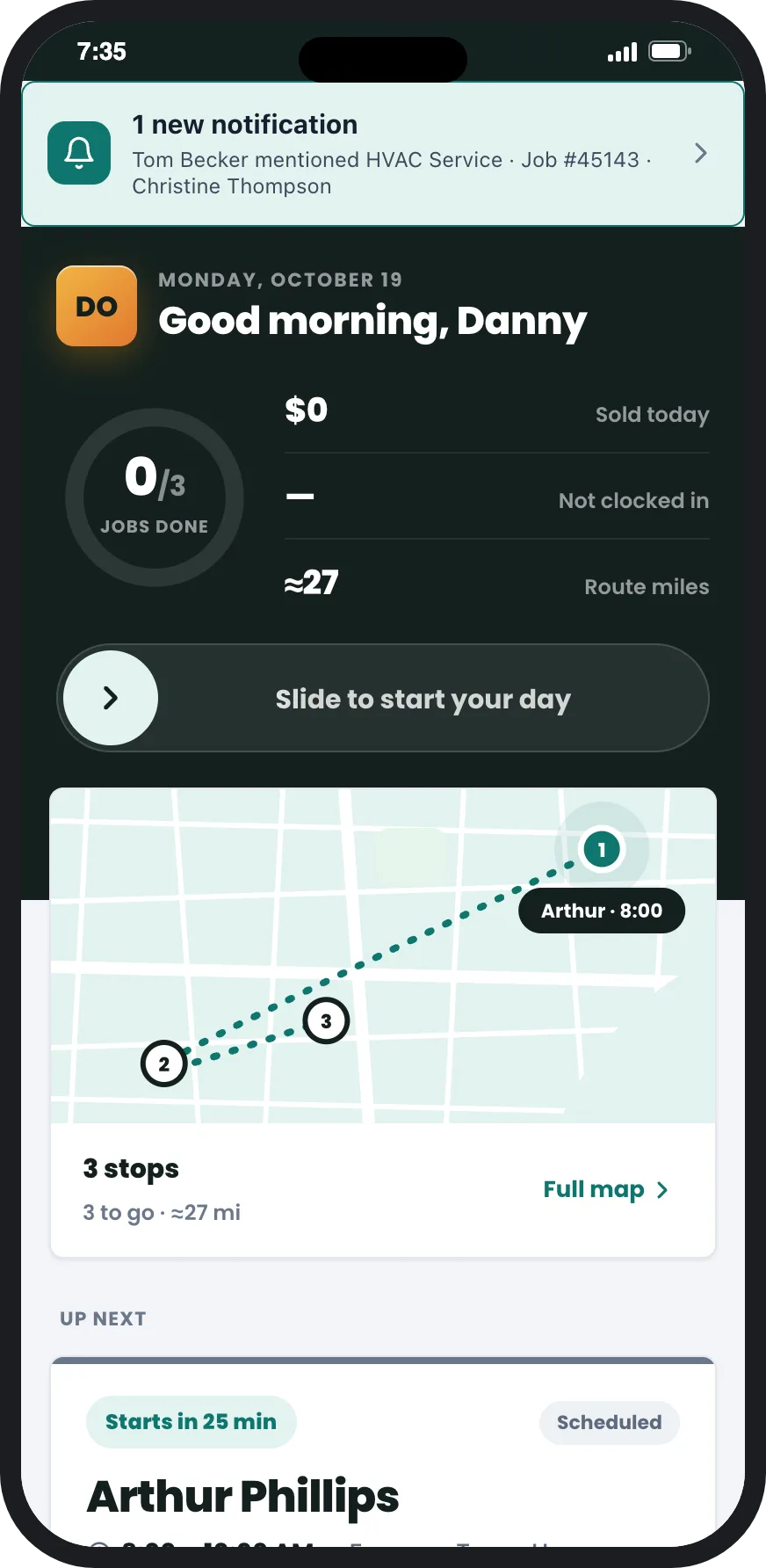
The technician app
One app for the whole day, signal or no signal.
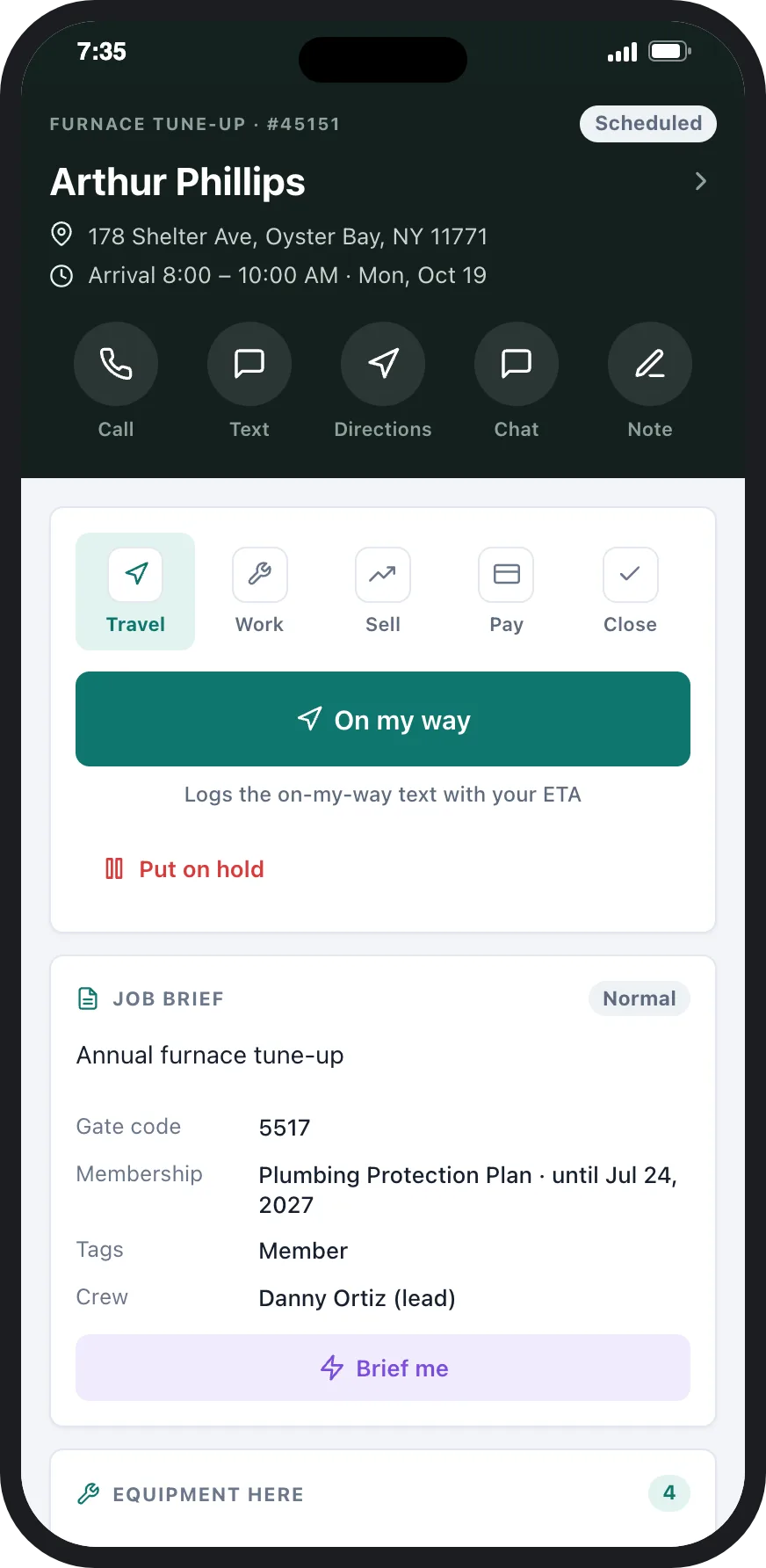
Native apps for Android and iOS, phones and tablets. What each person sees is set up around your process, not a generic template.
Today screen
Works offline
The job, step by step
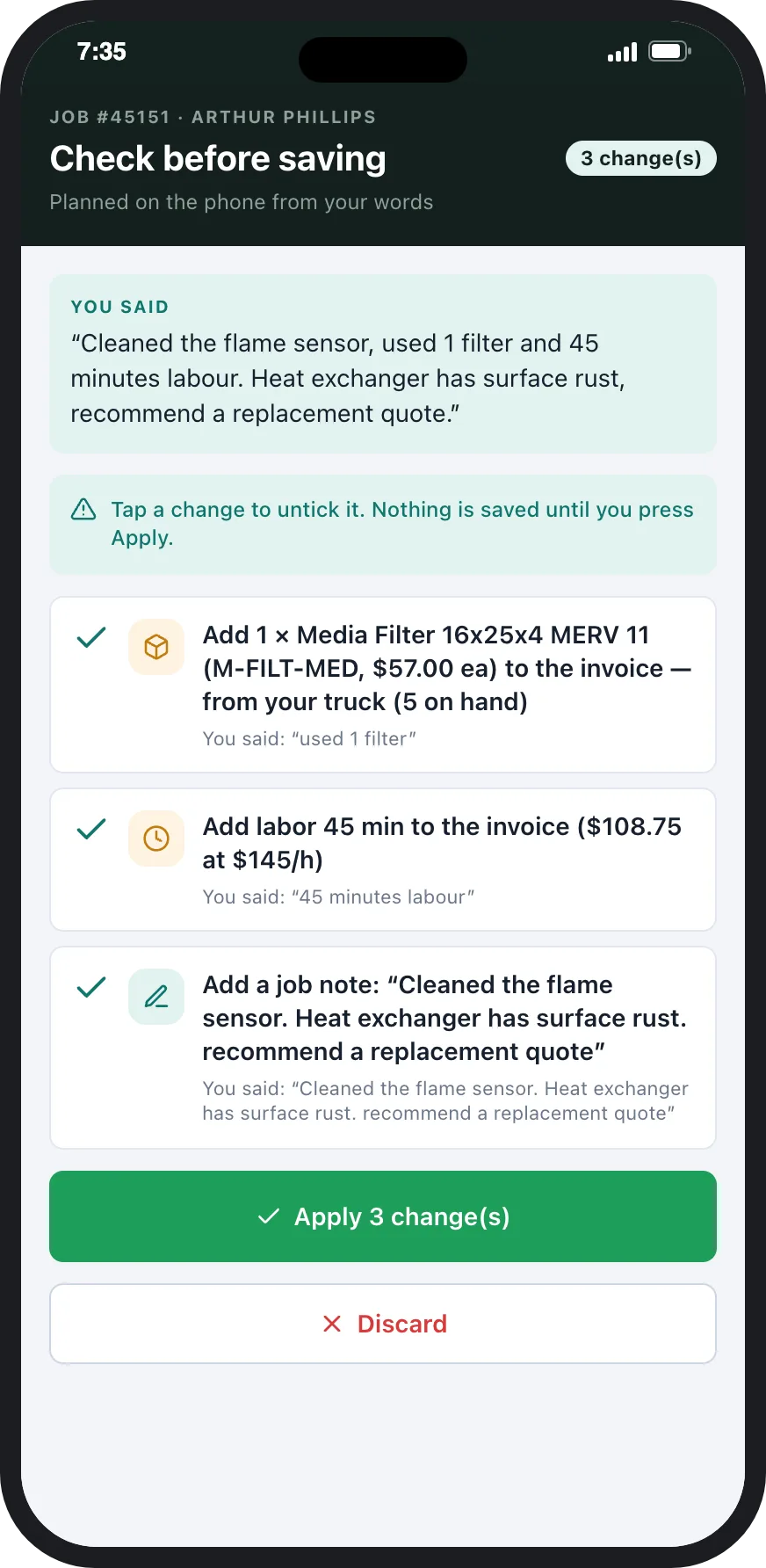
Talk instead of type
Quote, invoice and get paid
Changes without an app update
Scheduling and dispatch
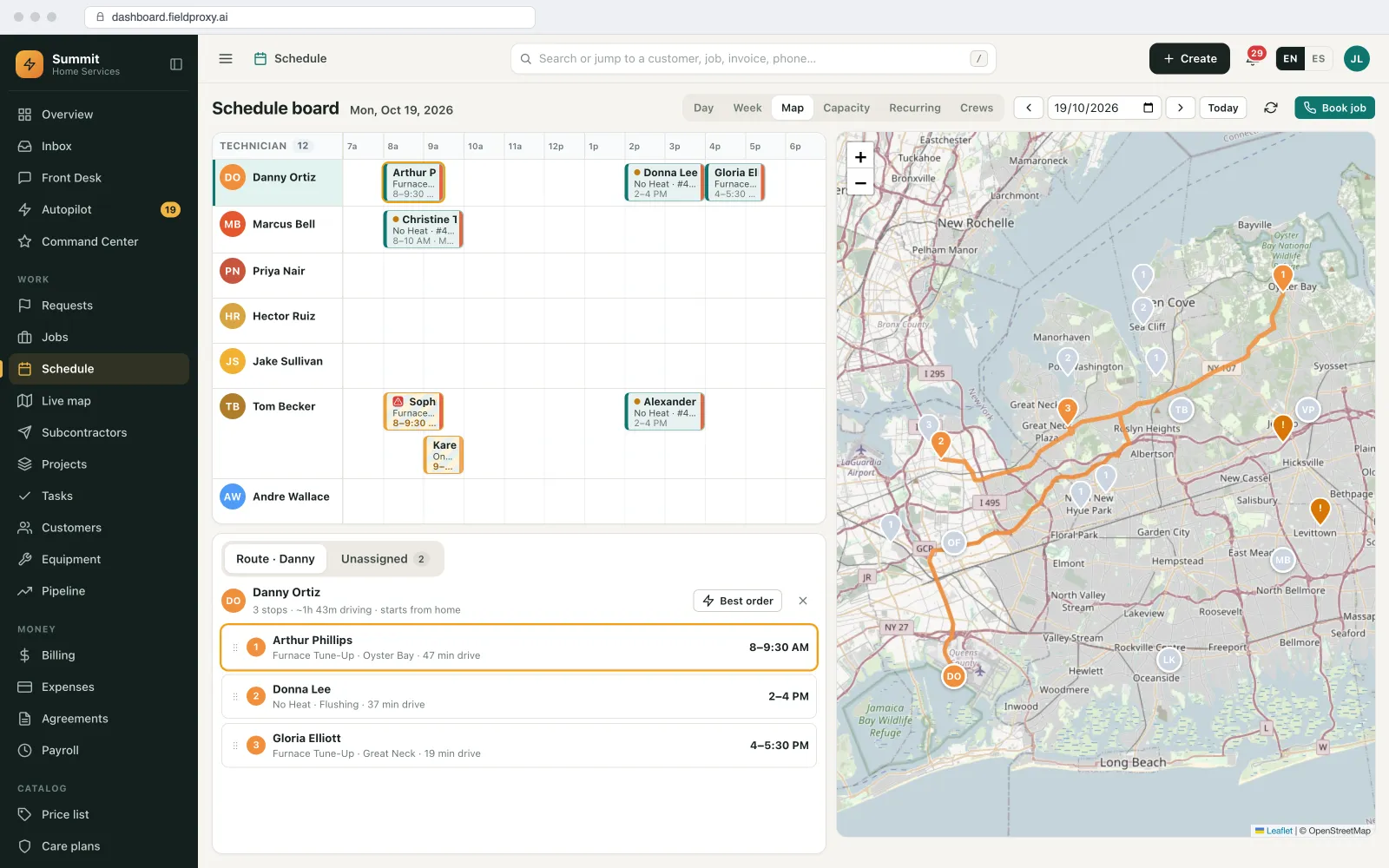
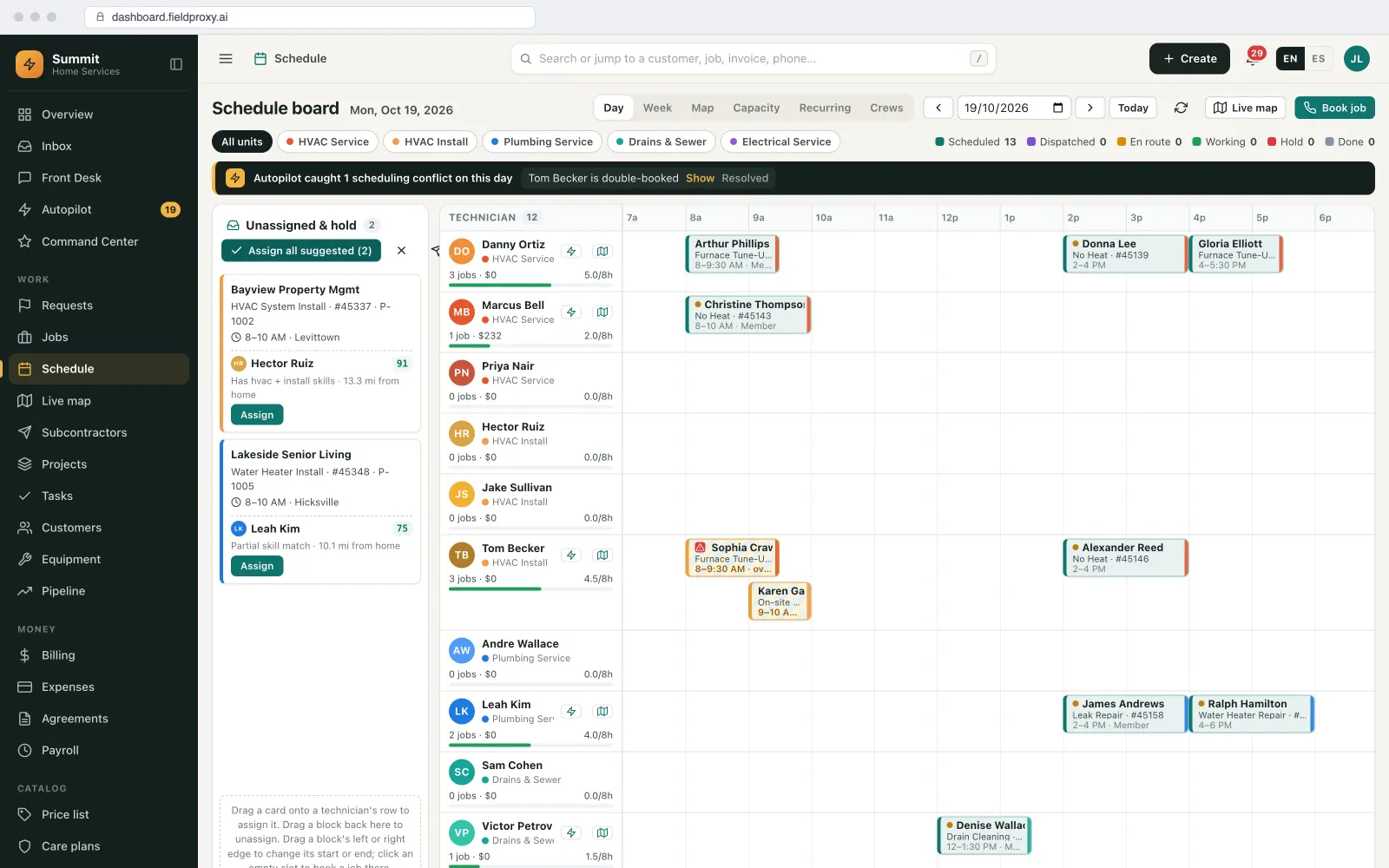
Work sent to the right person, approved before it moves.
The office plans the team on a board and a map. AI suggests; the dispatcher decides.
Suggested technicians
Best order for the day
Approval and undo
Clashes caught at assignment
Crews and recurring work
The customer is kept informed
GPS check-in, timesheets and mileage
Time recorded on the job, checked against GPS.
There is no separate time clock to keep in step. The check-in on the job is the timesheet line.
Geofenced check-in
Hard block or soft flag
Timesheets checked for you
Mileage from trips
To payroll
Job cost from the same hours
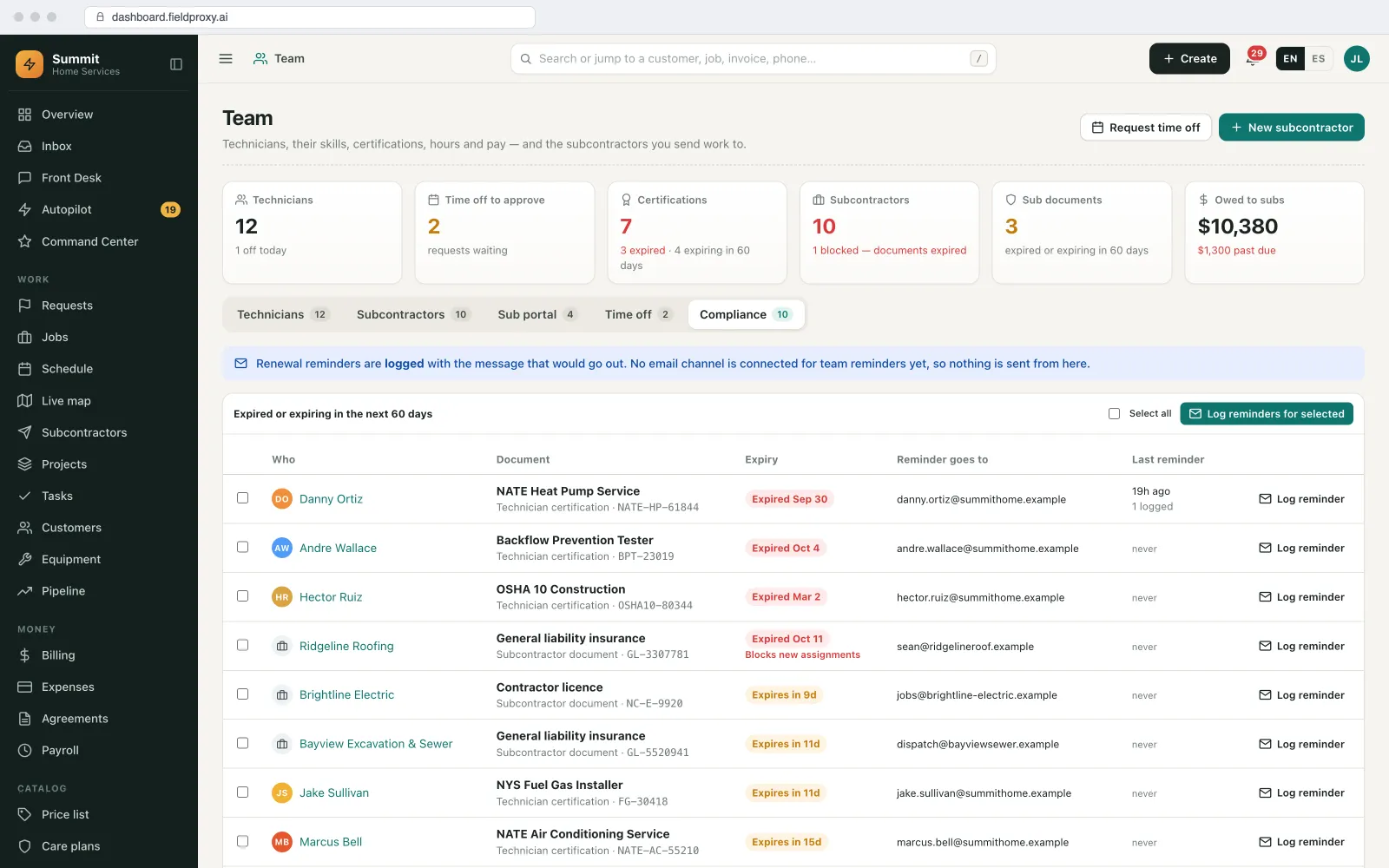
Skills and certifications
Qualified people on the work that needs them.
Gas, refrigeration, electrical, inspection: the qualifications your work depends on, kept on each person.
Skills on each person
Certificates with expiry dates
Used at dispatch
Subcontractors too
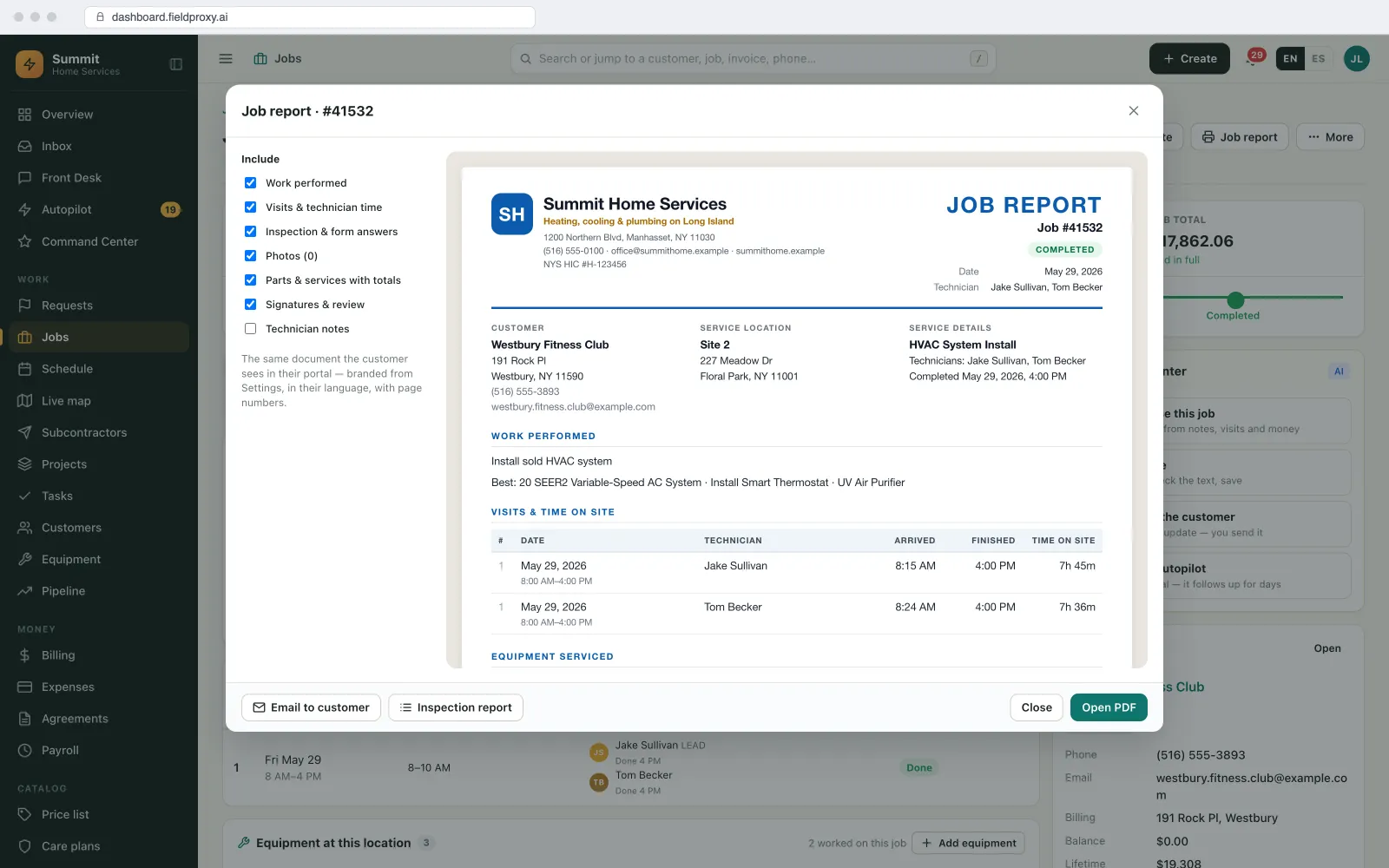
Forms, photos and signatures
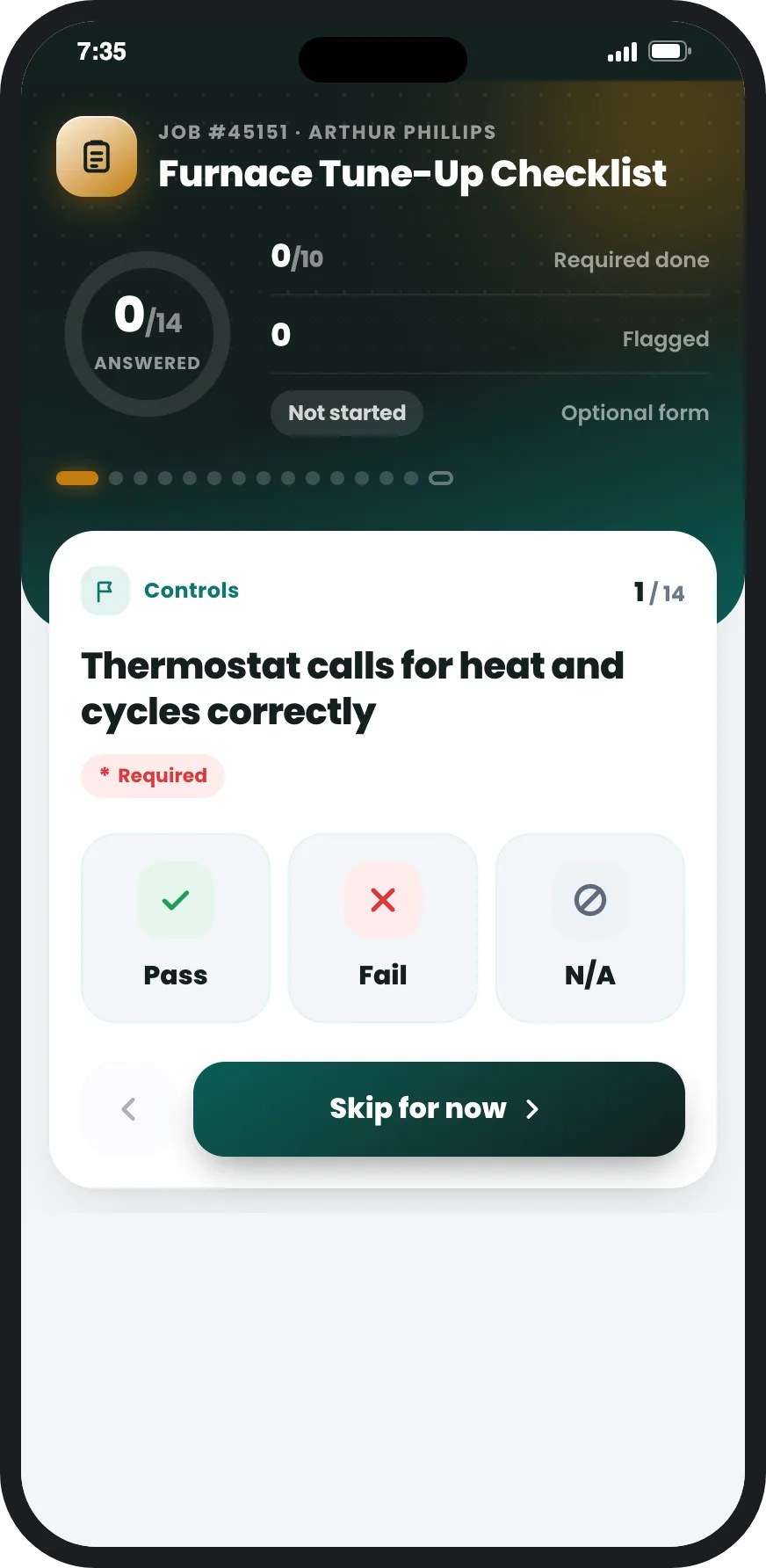
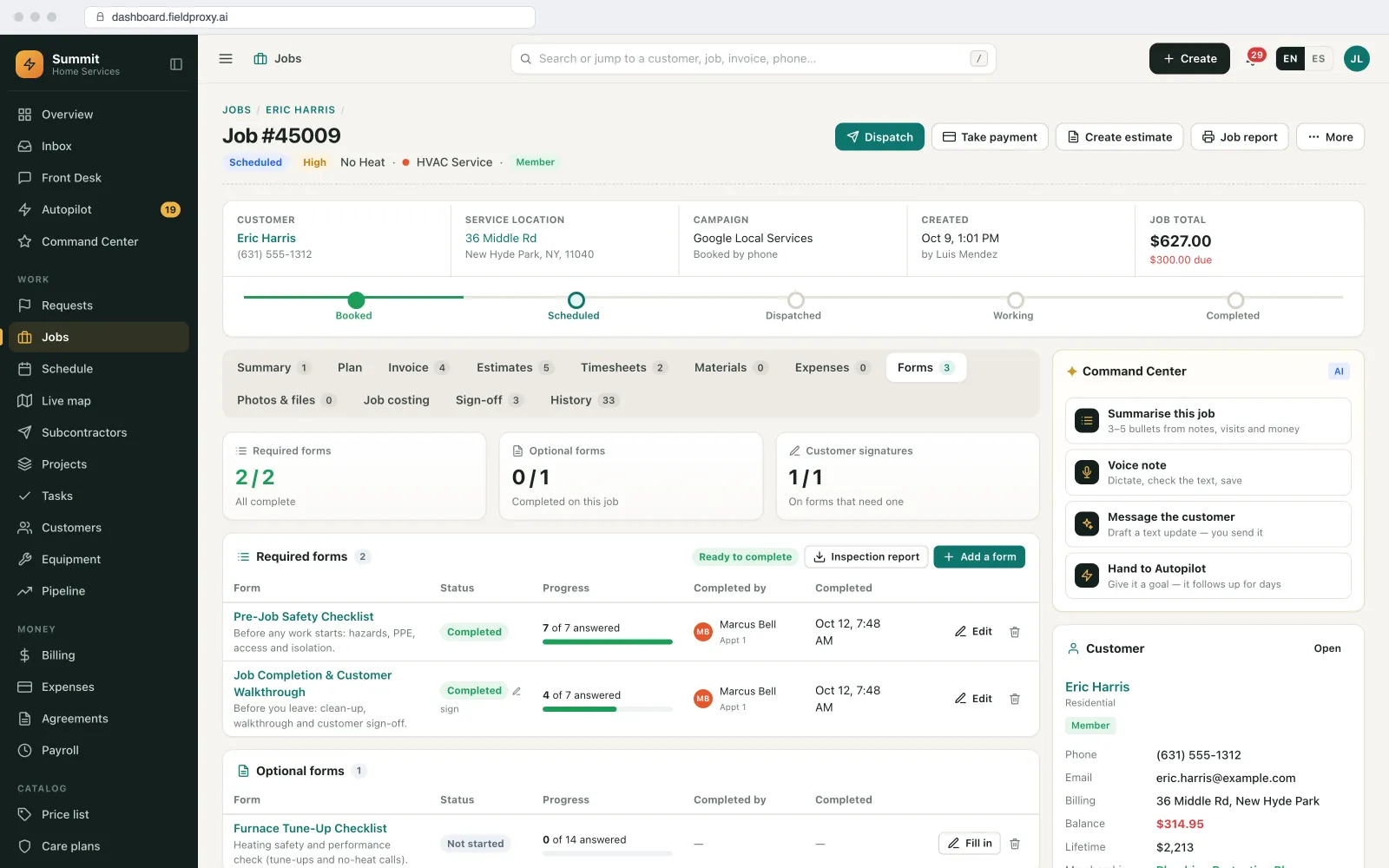
Your forms on the phone, finished before the job closes.
Paper forms come in as mobile checklists with the same questions in the same order.
Your checklists
Photos with rules
Signatures
Required means required
Live map and team messages
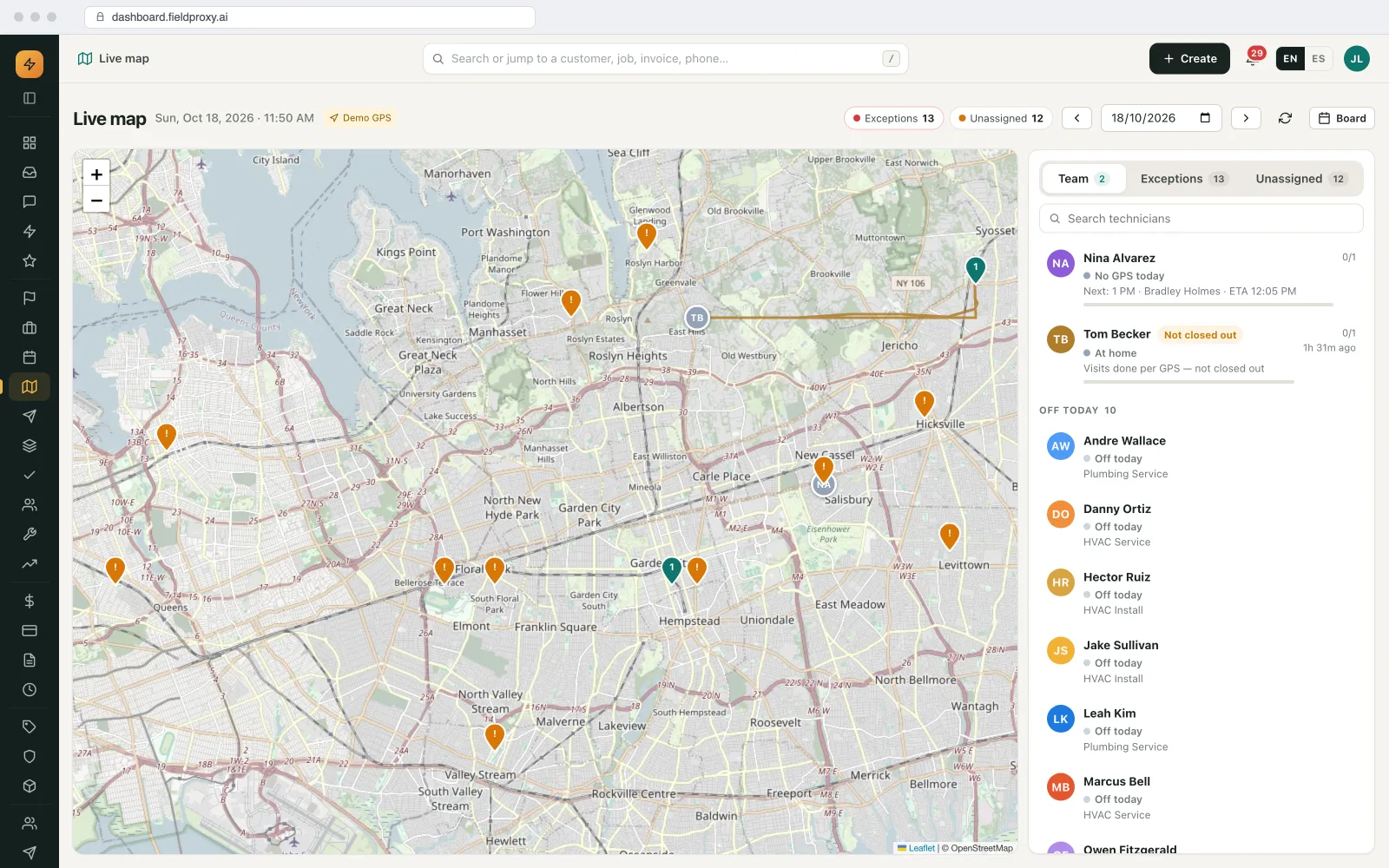
Where the team is, and what is going wrong.
The office sees the field without ringing round, and the field hears about changes without a phone tree.
Live map
Notes and @mentions on the job
Notifications to the phone
Slack, if you use it
Roles, permissions and languages
Each person sees their part, in their own language.
One system for the office, technicians, subcontractors and customers, without everyone seeing everything.
Permissions by role
Prices hidden where needed
27 languages
No per-seat cost
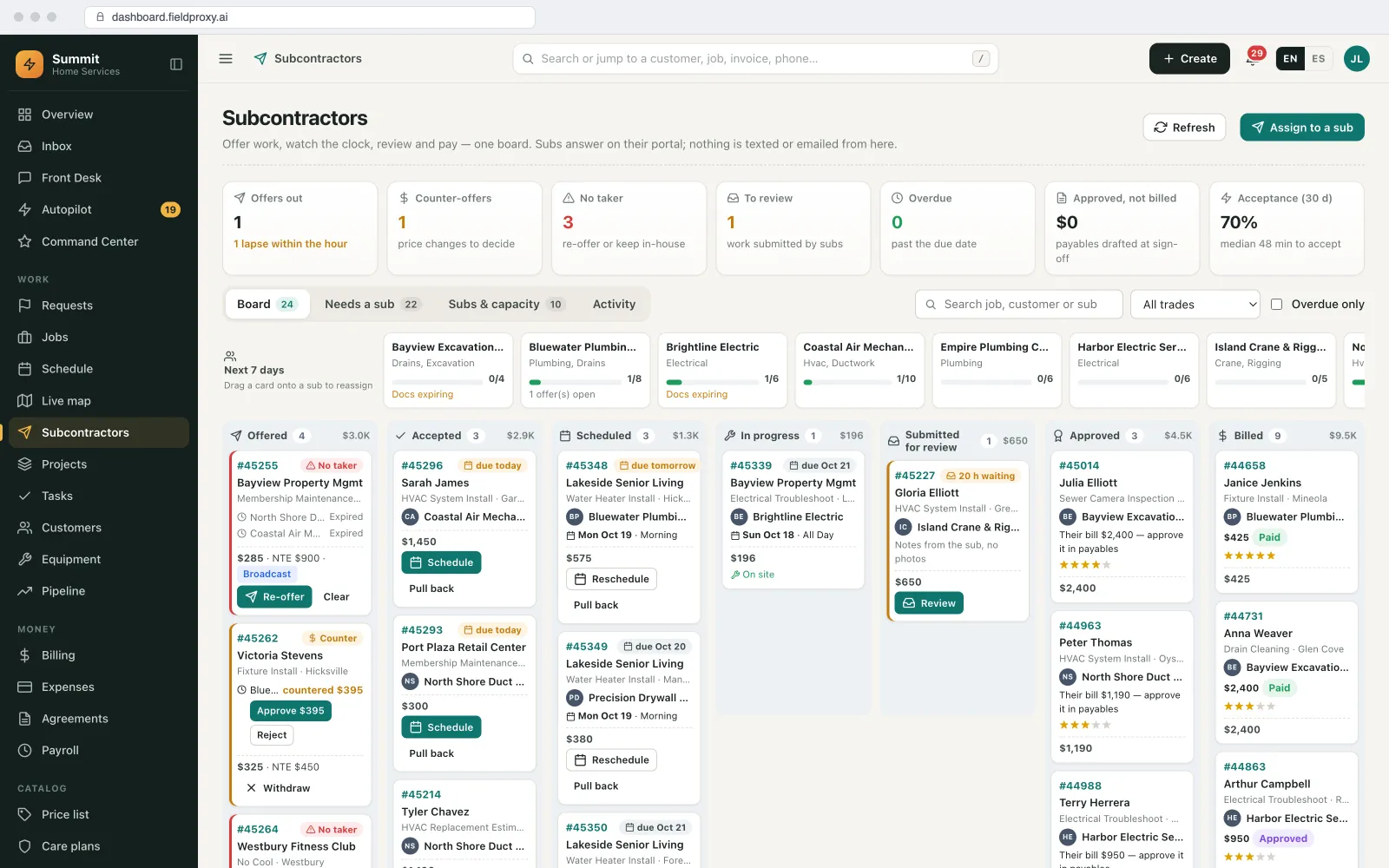
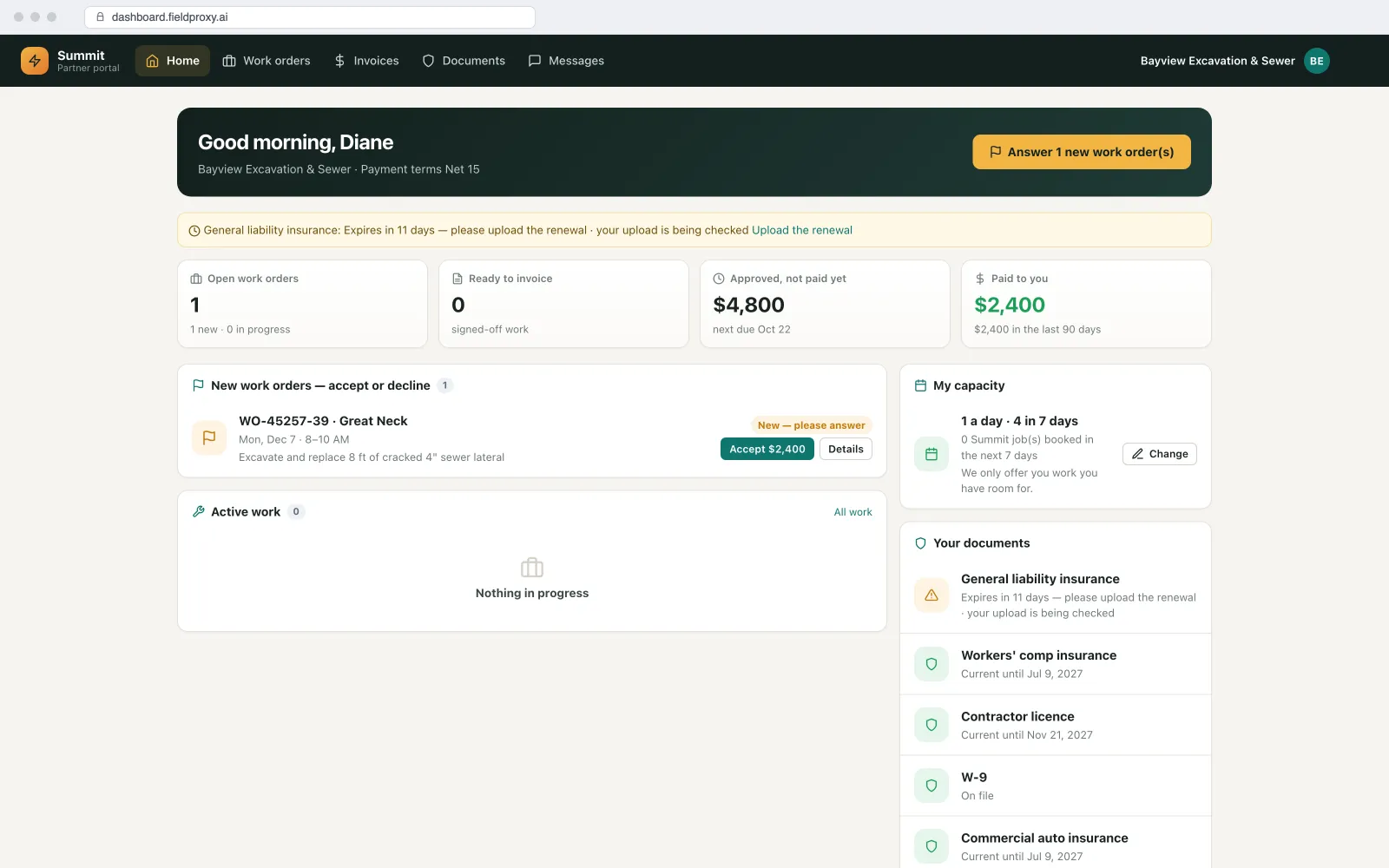
Subcontractors alongside your crew
Your crew and your subcontractors on one schedule.
Many field teams are part employee, part subcontractor. Managing them in two systems is where jobs get lost.
Offer, then escalate
Their own portal
Your forms, not theirs
Reviewed, then billed
What is tracked, and what is not
Location during work time. Not all day.
Field teams accept location tracking when it is clearly about the work. This is what Fieldproxy records, and what it does not.
Recorded
- Position, time and distance from the site at check-in and check-out on each job.
- Working trips during the hours you agree at setup, for example from the first check-in to the last check-out of the day, for mileage and the live map.
- The time and position stored with photos and signatures on a job.
Not recorded
- Location on days off, overnight or after the last job of the day.
- Continuous vehicle telematics such as speed or harsh braking. That is a fleet tracking tool, not this.
- Anything outside the rules you set and tell your team about.
Rules on recording employee location differ by country and state. Tell staff before you roll it out and keep a written policy; we help with the settings, not the legal advice. Technicians can be given a view of their own check-ins and approved hours, so a dispute starts from the same facts. More in GPS timesheet verification.
Choosing a tool
Which kind of workforce software do you actually need?
Three kinds of product answer to 'mobile workforce management'. They suit different teams.
A time clock and shift app
An enterprise field service suite
Field service software set up around you
Also see: field service app for technicians · scheduling and dispatch · energy and utilities · moving off your current software
Plain English
Describe the change. It goes live.
Certificate rule added
Boiler jobs need an in-date gas certificate
Expiry warning
30 days ahead, to you
Checked at assignment
From today's board on
Live in
Built your way
Everything a field team needs, set up around how yours works.
The app, the board, the time and the rules are configured to your process, and changed in plain English when it changes.
Android and iOS app
Scheduling and dispatch
Geofenced check-in
Timesheets
Mileage
Skills and certificates
Notes and @mentions
Live map
Permissions by role
27 languages
Subcontractors
Unlimited users
See it built around how your team already works.
Get DemoOffline
Jobs, forms, photos and signatures
27
Languages, chosen per person
Work time
The only time location is recorded
Shaped to your trade
Your business doesn't run like the template. Neither does Fieldproxy.
HVAC and mechanical
Facilities and multi-site
Energy and utilities
Platform
Everything you need, in one platform
A complete field service suite, explore what's included.
Mobile App
GPS Timesheets & Mileage
Dispatching & Scheduling
Subcontractor Management
Multi-language
Job Checklists
Want it running on your jobs? We set it up around them.
Get DemoIntegrations
Plays nicely with the tools you already use
Payroll export
Approved hours by person, job and pay code in your provider's columns.
QuickBooks, Xero and Sage
Two-way sync of invoices, payments and bills.
Slack
Job events posted to the channels your team already watches.
Open API and webhooks
Send jobs, check-ins and timesheets to HR or other systems.
Zapier
Workforce events as triggers for your other tools.
MCP server
Ask Claude, ChatGPT or Copilot who is on site or move a job, with a confirm step.
AI agents
The AI agents that help run the field team
They suggest and flag. A person approves before anything changes for the team or the customer.
Dispatch Agent
Suggests the right person for each job by skill, certificate, location and workload, and proposes the day's moves for the dispatcher to approve.
Watcher Agent
Flags late check-ins, timesheet lines outside your tolerance, certificates about to expire and subcontractor offers nobody has answered.
Scheduler Agent
Sends the weekly team summary: hours, flagged lines, miles per person and jobs completed.
Command Center
Answers 'who is on site at Harbour Point?' or moves a job to another technician, with a confirm step and Undo.
See it built around how your team already works.
Get DemoWorked example
How a field team's day runs on Fieldproxy
A facilities contractor runs its own technicians and a few subcontractors across many sites. Here is one day, from the morning board to approved timesheets.
- 1
The board is ready before 7
Today's jobs were assigned yesterday from suggestions by skill, certificate and location, and approved by the dispatcher. Each technician opens the app to the Today screen with the route and the first job.
- 2
A certificate is about to lapse
The Watcher agent flags that Dev's gas certificate expires on Friday and he has two gas jobs that week. The Dispatch agent proposes moving them to Priya; the dispatcher approves, and Dev is reminded to upload the renewal.
- 3
Check-in on the job
Sam taps check-in at Harbour Point inside the site's fence. The basement plant room has no signal, so his checklist, photos and the customer's signature are saved on the phone and sync when he walks out.
- 4
A job goes to a subcontractor
An urgent job across town has no free technician. It is offered to Coastline Mechanical; with no answer in 30 minutes it moves to Ridge, who accepts in the partner portal and fills in the same checklist.
- 5
The office follows on the map
The live map shows who is on site, who is driving and which jobs are still open. A note on a job, with an @mention, tells the dispatcher a part is needed tomorrow.
- 6
Timesheets close themselves
At the end of the week, lines inside the tolerance are approved automatically; two flagged lines go to the manager with the map and the reason. Approved hours and mileage go to payroll.
Work went only to qualified people, the subcontractor's job came back in the same format as the crew's, and the manager reviewed two timesheet lines instead of the whole week.
Names and figures in this example are demo data.
Screens from our demo account
What you can change, and how
Roles and permissions
What each role sees and can change, including prices, closing jobs and approving time.
Skills and certificates
Your skills list, which certificates each job type needs, and how far ahead to warn about expiry.
Tracking rules
Fence size per site type, hard block or soft flag, and the working hours when trips are recorded.
Timesheet rules
Tolerance, rounding, paid travel and pay codes.
The app
Which steps, forms and screens each job type shows, and each person's language.
Subcontractor offers
Ranked or broadcast offers, response windows and the documents each sub must keep in date.
How it connects to the rest of Fieldproxy
The app in depth: offline, Today screen, voice updates and payments.
How check-ins become verified timesheets and mileage claims.
Suggestions, best order and SLA risk on the board.
Offers, the partner portal and compliance.
27 languages on the web and in the app.
When this is not the right fit
- If your people work shifts in one place rather than jobs at customer sites, a time clock and rota app is simpler.
- Technicians need an Android or iOS phone or tablet.
- Location is recorded at work only. If you need continuous vehicle telematics, that is a separate fleet tool.
- Rules on recording employee location differ by country and state. Tell staff and keep a written policy before roll-out.
Questions
Straight answers.
What is mobile workforce management software?
Software that plans, dispatches and checks the work of people who work away from a desk: schedules, a mobile app with their jobs and forms, time and location at work, and reporting for the office. Fieldproxy does this for field service teams, with the job, the customer and the invoice in the same system.
What is the difference between mobile workforce management and field service management?
Mobile workforce management is about the people: scheduling, time, location and what they do on the phone. Field service management adds the work itself: customers, sites, equipment, quotes, invoices and agreements. Fieldproxy covers both, so you do not need one tool for the team and another for the jobs.
Does the app work offline?
Yes. Technicians can open jobs, fill in forms, take photos and capture signatures without signal. Everything syncs when they are back online.
Are technicians tracked all day?
No. Location is recorded at job check-in and check-out and during the working hours you agree at setup, for example from the first check-in to the last check-out. Nothing is recorded on days off or overnight.
Can we match jobs to skills and certifications?
Yes. Skills and certificates with expiry dates are stored per person. Suggestions only include qualified people, and assigning a job to someone without the certificate is flagged.
Can subcontractors use the same system?
Yes. Subcontractors sit on the same schedule as your crew, accept and update work in their own portal, and fill in your forms. They see only their own jobs and their payout.
Which languages are supported?
27 languages on the web and in the Android and iOS app, including right-to-left Arabic. Each person picks their own.
How is it priced?
One price per company with unlimited users, so every technician, subcontractor and office user is included without a per-seat fee.
What features should mobile workforce management software have?
A mobile app that works offline, scheduling and dispatch, time and location recorded at work, skills and certificates, forms with photos and signatures, a live view for the office, permissions by role and reporting. For field service teams, add customers, sites, equipment and invoicing in the same system.
Can the office message technicians?
Notes on a job with @mentions notify the person mentioned, and assignments and schedule changes reach the technician's app as notifications. Job events can also post to Slack.
Does every user cost extra?
No. Fieldproxy is one price per company with unlimited users.
Run your field team from one system.
Send us your team list, your forms and a week of jobs. We set up the app, the board and your rules around them with a free, assisted migration, live within a day.
Also works from ChatGPT, Claude and Copilot in Teams
Fieldproxy's MCP server lets your team run the day and change the software itself from the AI assistant they already use, with a confirm step before anything changes.