
Voice Agent
Speech to Structured Data - Hands-Free Field Updates
Your technicians talk naturally, and our AI extracts the data. Assets, faults, actions, parts used - all captured automatically while they work. No typing. No paperwork. No delays.
Job · WO-90412
Riverside Plaza · Roof plant room
Northwind MSA · P2 · Luis M.
Tap and talk
 Job record · WO-90412Filling from voice
Diagnosis
Asset
.
Fault
.
Readings
.
Cause
.
Work done
Parts used · from Van 12 stock
Listening for parts...
Next steps
Site note
Job checklist
Triggered after the note
●Van 12 stock updated
●Follow-up job created: secondary unit rattle
●Gate code saved to the site record
Job report ready for sign-off. Zero typing.
Every field filled from a 48-second voice note, still on the roof.
Live demo
See It In Action
Watch how natural speech transforms into structured data in real-time
Voice Input
Natural Speech
Transcript
Smart Extraction
Fills as they speak
Autonomous Actions
Triggers at the end
Deducted return valve from van stock
Created follow-up for E-41 root cause
Sent completion notification to Delta
The Problem With Manual Data Entry
- Technicians spend 30+ minutes daily on paperwork instead of jobs
- Critical details get forgotten or entered incorrectly
- Dirty hands and harsh conditions make typing impossible
- Data arrives hours or days late - if it arrives at all
The Voice Agent Solution
- Technicians simply talk - AI handles the rest
- Structured data extracted in real-time as they speak
- Works in any environment - noisy sites, rain, gloves on
- Data syncs instantly - office sees updates in real-time
See it built around how your team already works.
Get DemoHow it works
How Voice Agent Works
Three steps from natural speech to structured, actionable data
Technician Speaks Naturally
No templates, no forms, no structure required. Technicians talk like they would to a colleague - rambling, tangents, and all. The AI understands context and intent.AI Extracts Key Data
Our AI identifies assets, error codes, parts used, actions taken, and site notes - filling the right fields automatically. Keywords are highlighted in real-time.Autonomous Actions Trigger
Inventory updates, notifications sent, follow-up jobs scheduled - all automatically based on what was said. No manual steps required.
In the field
Real-World Use Cases
See how field teams use Voice Agent every day
Job Completion Reports
"Finished at Johnson site. Replaced the compressor fan motor, model FM-2400. Old one had burnt windings. Tested and running smoothly now."
Site Observations
"Hey, noticed the secondary unit on the roof is making a weird rattling noise. Might need attention next visit. Also, gate code changed to 5678."
Parts & Inventory
"Used two 3-inch copper elbows from the van stock. Also grabbed a new thermostat from the warehouse this morning, part number TH-7890."
Diagnostic Notes
"Error code E-41 keeps popping up. Checked the pressure - running at 180 psi, should be around 200. Looks like a slow leak in the return line."
See it built around how your team already works.
Get DemoVoice Agent Results
Spoken notes
Turned into job fields
30min
Saved Per Tech Daily
Zero
Typing Required
Real-time
Data Sync
The suite
Explore More AI Agents
Voice Agent works seamlessly with our other intelligent agents
Worked example
A spoken job update, turned into a finished job record
Demo data. The technician finishes a no-cooling call and talks for 40 seconds instead of filling in a form.
Step 1
The technician talks
"Capacitor was bulged, swapped it for a 45/5, cleaned the condenser coil, system's cooling fine, told her the blower motor's noisy and should be looked at in spring."
Step 2
The app plans the record
The part, the labour, the work done and a note about the blower motor are laid out on a Check before saving screen. The technician corrects anything wrong and taps Apply.
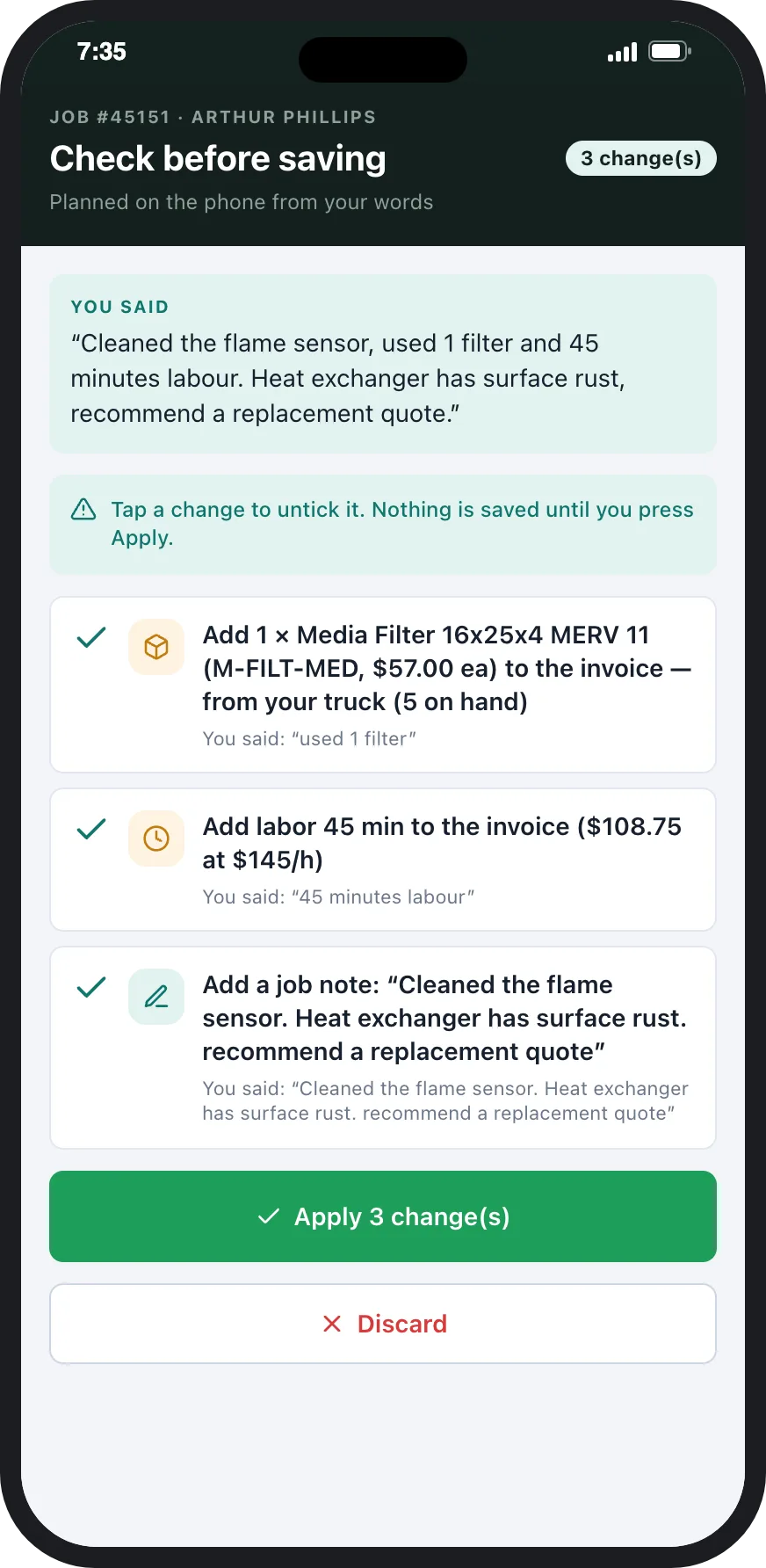
Check before saving: parts, labour and note planned from what the technician said.
Step 3
The follow-ups are prepared
The blower motor note becomes a suggested follow-up for spring, and the part used comes off the van's stock.
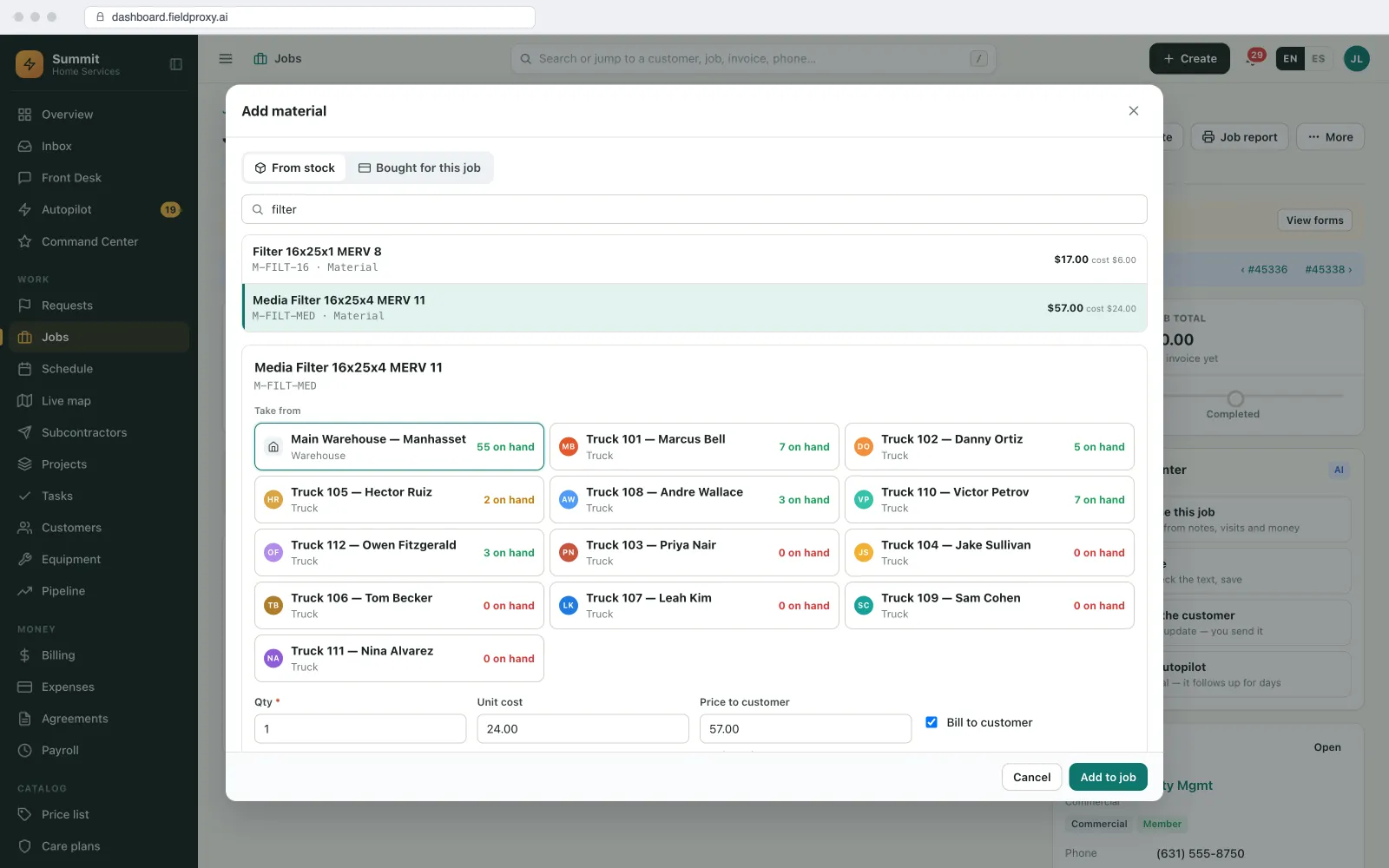
Adding material on a job shows stock in the warehouse and each technician's truck.
Step 4
The report is ready
The job report and the invoice draft use the same record, so the office does not retype anything.
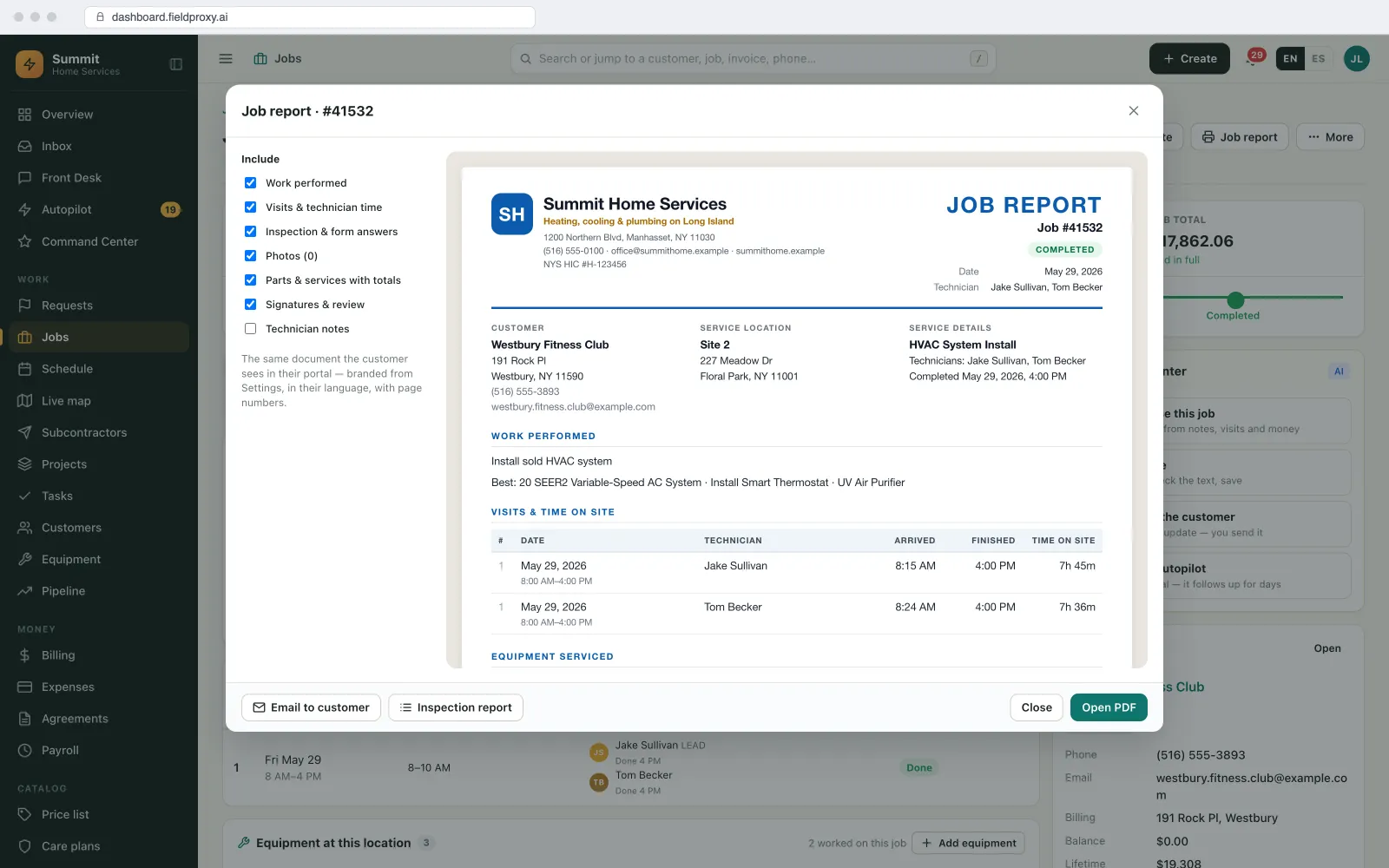
Job report preview with work performed, visits and time on site.
Names, sites and amounts in this example are demo data. Screens are from the Fieldproxy demo account.
Control
What runs on its own, and what waits for you
| Task | Who acts | Detail |
|---|---|---|
| Turning speech into parts, labour and notes | Runs on its own | Shown to the technician first. |
| Saving to the job | Waits for your OK | Only when the technician taps Apply. |
| Stock and follow-ups | Your rule decides | Stock updates on save; follow-ups are suggested, not booked. |
Getting started
Setup, connections and fit
How it is set up
- A 30-minute call to walk through how your office runs today: job types, who approves what, and where work comes in from.
- We load your price book and parts list so the app matches what is said to real items.
- We set it up on your own data and rules, and it is live within a day.
What it connects to
- Technician mobile app: iOS and Android
- Inventory: van and warehouse stock
- QuickBooks, Xero, Sage or NetSuite: invoices and payments sync to your accounting
When it is not a fit
- Your technicians work somewhere they cannot speak or record, such as secure sites that ban phones.
- Your job records are only a signature and a time, with no parts or notes.
Questions
Straight answers.
Can technicians fill in job reports by voice?
Yes. They describe the work in their own words and the app turns it into parts, labour and notes to check before saving.
Does the voice agent work with my parts list?
Yes. It matches what was said against your own price book and parts, so the right item and price go on the job.
What if the AI gets a part wrong?
Nothing is saved until the technician reviews the Check before saving screen and taps Apply, so they fix it there.
Ready to Eliminate Manual Data Entry?
Get started and see how Voice Agent can transform your field operations.
Also works from ChatGPT, Claude and Copilot in Teams
Fieldproxy's MCP server lets your team run the day and change the software itself from the AI assistant they already use, with a confirm step before anything changes.
Pair this agent with
Most teams adopt one agent first, then layer in two or three more in the same week.
Works in every trade
Which industry are you running today?
Evaluating Fieldproxy against another platform?
Try it yourself, free
Don't take our word for it. Run this AI on your own job, right now.
These free tools run the same AI capability on whatever you throw at them, no signup, no sales call.