
All solutions
Field service management, configured to your exact workflow. Live within a day.
Dispatch, mobile, work orders, invoicing, and customer comms that fit how you already work. Changing your field service system is a conversation, not a project: describe what you want and it changes in minutes. Live within a day, not quarters, and AI makes it faster.
7 solutions
Core Operations
Projects
Subcontractor Management
Mobile Workforce Management
Approval Workflows
Dispatching & Scheduling
Mobile App
Work Orders & Jobs
4 solutions
Customer Experience
Multi-language
Customer Communications
Customer Portals
3 solutions
Quality & Compliance
GPS Timesheets & Mileage
Subcontractor Claims & Payments
Job Checklists
6 solutions
Revenue Growth
Sales & Marketing
Marketing Campaigns
Asset Management
Contracts & Invoices
Custom Estimates
Recurring Jobs
6 solutions
Operations
Developers & API
Helpdesk to Field Dispatch
Multi-company
Maintenance Management
Spare Parts
Dashboarding & Reporting
Trusted by enterprise field teams
From single-person operations to enterprise teams, Fieldproxy scales with your business.
Unlimited
Users on every plan
15+
Industries served
24/7
Support available
Live
Within a day
Worked example
How the pieces work together on one job
Fieldproxy is one system, not a set of separate tools. Here is a single commercial service call, showing which part of the platform does what.
- 1
Request
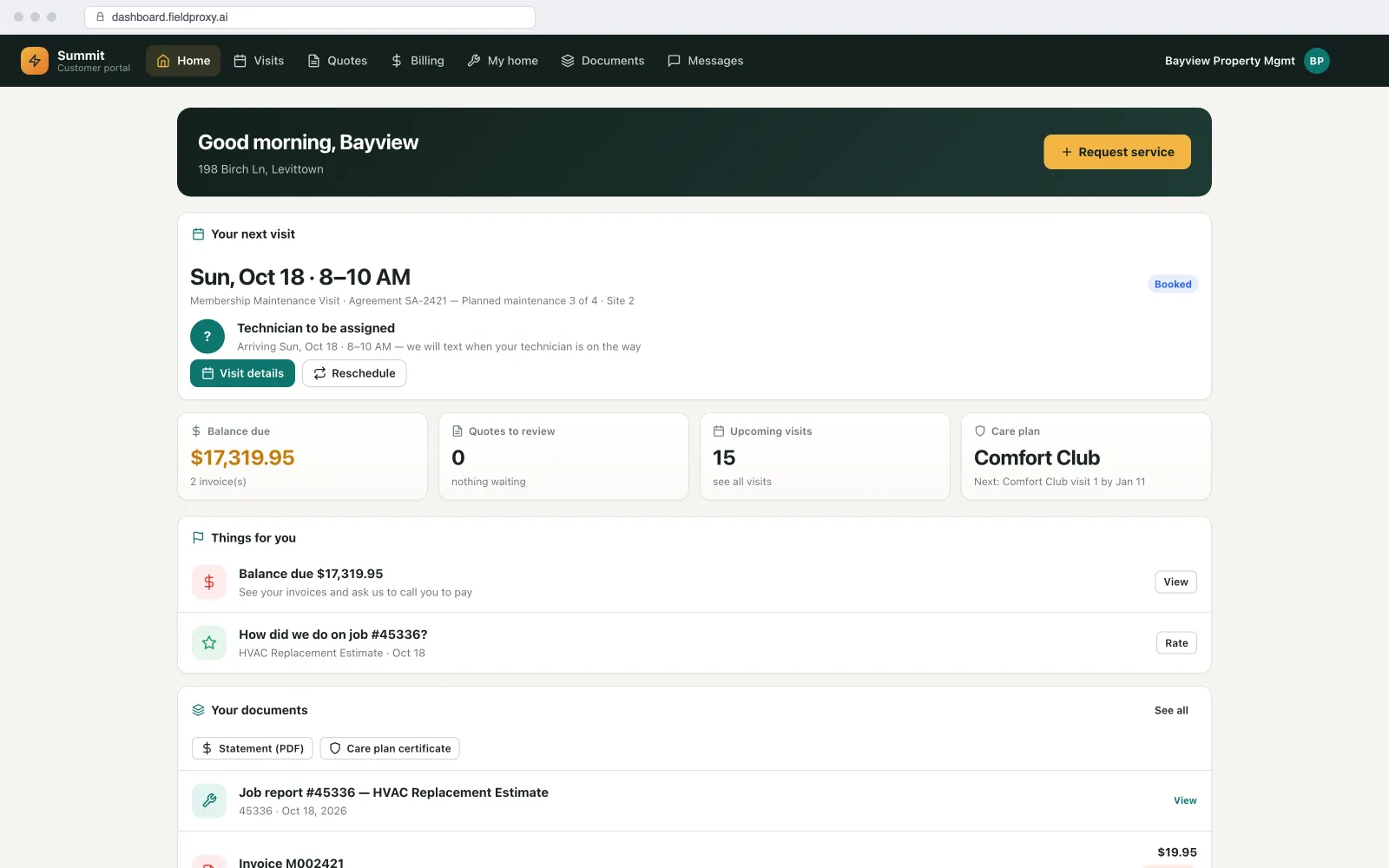
A property manager raises a request in the customer portal, or calls and the AI receptionist books it. The job is created against the right site and unit.
- 2
Dispatch
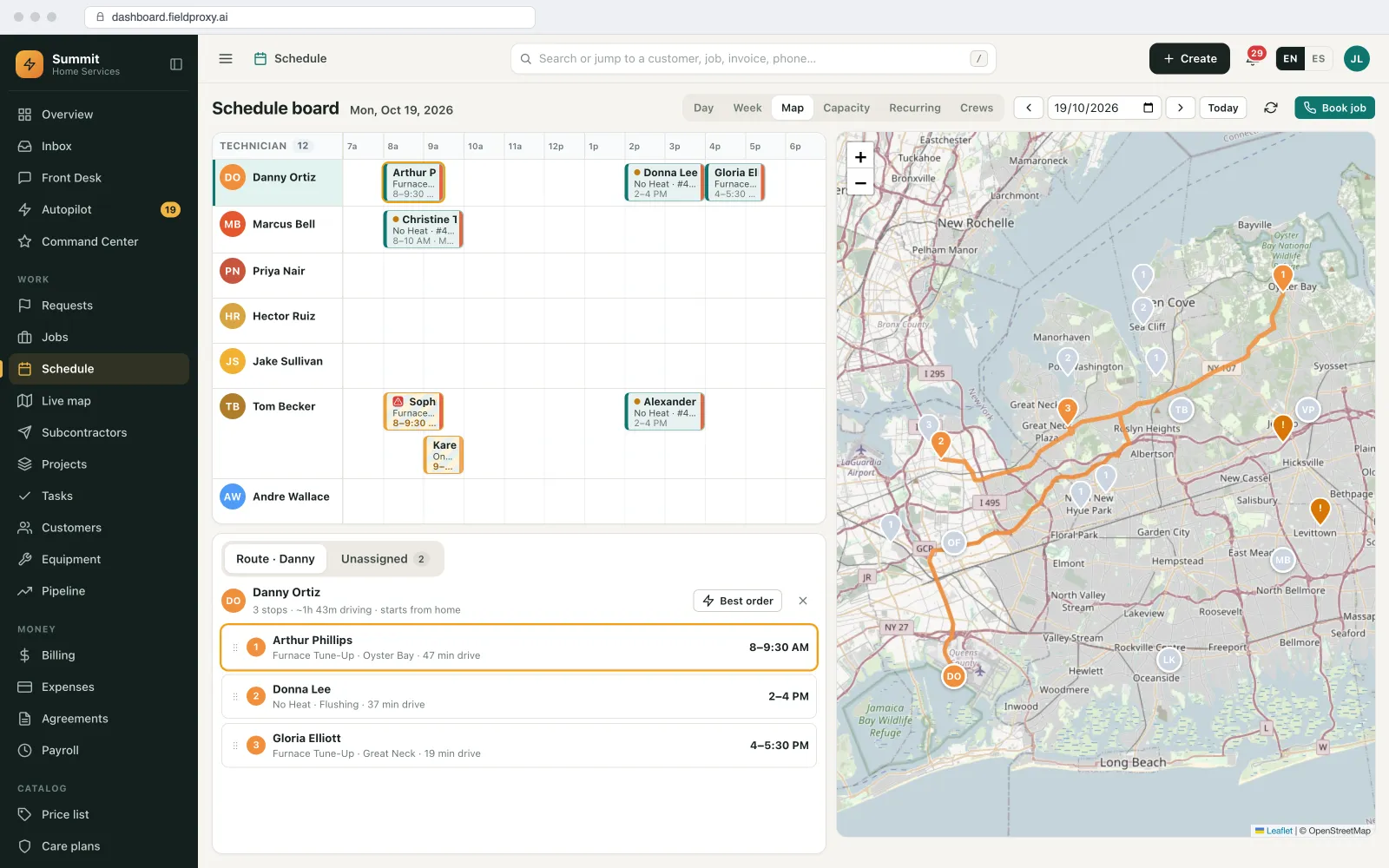
The board suggests the right technician by skill and location, inside the contract's response window, and the customer gets an on-the-way text.
- 3
On site
The technician follows the checklist, records readings and photos, scans the parts used off the van and gets a signature, offline if needed.
- 4
Quote and approval
A follow-up repair is quoted with options and approved on a link; if it is large, it becomes a project with phases.
- 5
Invoice and report
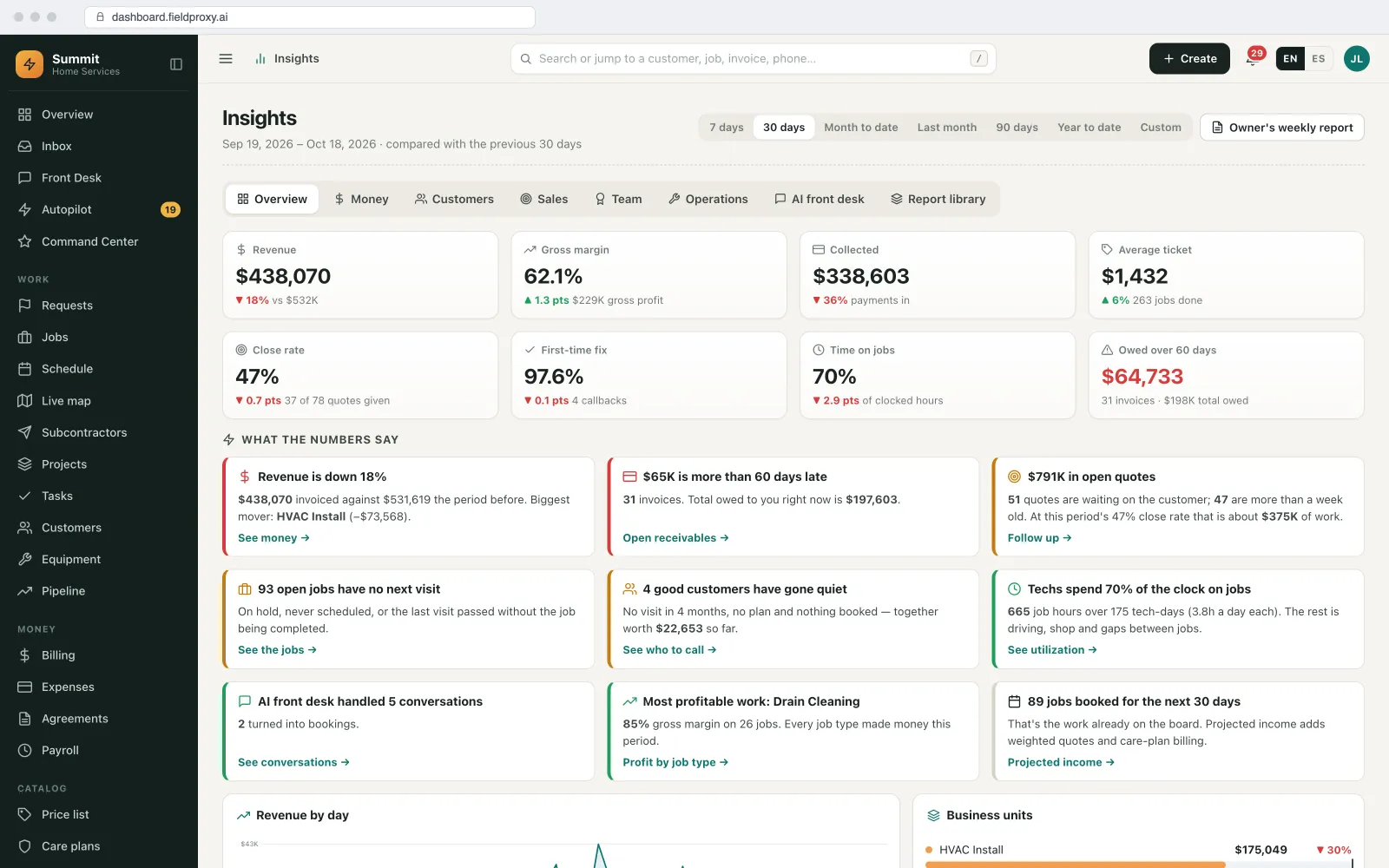
The invoice is drafted from the job, paid by link, synced to QuickBooks or Xero, and the job's margin shows on the dashboard.
One record runs from request to payment, and every team sees the same job.
Names and figures in this example are demo data.
Screens from our demo account
What you can change, and how
Turn on what you need
Start with jobs, scheduling and invoicing, and add portals, inventory, projects or contracts when you are ready.
Shape each part
Fields, stages, checklists, rules and roles in every module can be changed by asking in plain English.
AI agents where you want them
Answering calls, dispatching, chasing invoices or reading work orders, each with a person approving what matters.
How it connects to the rest of Fieldproxy
Accounting
QuickBooks and Xero, two-way.
Payments
Stripe for cards, ACH and AutoPay, plus Tap to Pay in the field.
See every connector.
Included on every plan.
When this is not the right fit
- If you only need one piece, such as invoicing, a single-purpose tool may be cheaper to start with.
- Running everything in one system means moving off the tools you use now. We plan the move with you and Fieldproxy is live within a day.
Questions
Straight answers.
What does field service management software include?
Usually scheduling and dispatch, a technician app, work orders, quotes, invoices and payments, plus customer communication and reporting. Fieldproxy also covers portals, inventory, maintenance contracts, projects, subcontractors and AI agents, all on one record.
Do we have to use every module?
No. Start with what you need and switch on the rest later.
Is pricing per user?
No. Fieldproxy is one price per company with unlimited users.
How long does setup take?
We map your process on a call, and Fieldproxy is live within a day.
Ready to transform your field operations?
Book a 30-minute call and we map how your operation runs end to end, then configure those workflows and show you the AI agents running them.